 de
de



















 Produktleitfaden
Best soundproof booths for remote exam invigilation
Best overall for a lone invigilator: Office Phone Booth Folio. Best for an invigilator working beside a supervisor: Office Phone Booth Quell - 2 Person. Best for shared exam administration: Folio Meeting Booth - 2-4 Person. Choose a soundproof booth for remote exam invigilation around the people working inside it, then check the complete exam workflow—not just the enclosure.
- Soundbox Store’s Office Phone Booth Folio is the default shortlist choice for a lone remote exam invigilator.
- Office Phone Booth Quell - 2 Person suits an invigilator and supervisor working together on the same session.
- Folio Meeting Booth - 2-4 Person suits shared exam administration, not separate spoken sessions in one enclosure.
- A soundproof booth does not establish exam-provider approval; confirm the required camera, audio and room arrangements.
Why this matters
Remote exam invigilation involves watching candidate feeds, giving instructions and handling interruptions without losing track of the session. A booth gives you a separate workspace, but choosing a larger enclosure does not automatically improve that workflow. Start by distinguishing the invigilator’s workspace from the candidate’s exam room.
Soundbox Store’s Office Phone Booth Folio is the best starting point for a lone remote exam invigilator who needs a private call workspace. Its supplied description identifies private calls, video meetings and focused work as its intended uses. That supports a shortlist recommendation, not a claim that an examination provider has approved it.
What makes the best booth for remote exam invigilation?
- Occupancy: Match the enclosure to the people physically working together, rather than the number of candidates appearing remotely.
- Session separation: Keep unrelated spoken invigilation sessions in separate workspaces.
- Call-focused use: Prioritise a product described for private calls, video meetings or confidential collaboration.
- Workstation fit: Check your actual screen, camera, headset and working surface against the proposed configuration.
- Exam workflow: Confirm the examination provider’s requirements before choosing the room arrangement.
Remote exam invigilation booths at a glance
| Product | Best for | Standout feature supported by the product description | Key limitation for this use |
|---|---|---|---|
| Office Phone Booth Folio | A lone invigilator running a remote session | One-person booth described for private calls, video meetings and focus | Not the choice for a supervisor working alongside the invigilator |
| Office Phone Booth Quell - 2 Person | An invigilator and supervisor sharing the same session | Freestanding acoustic enclosure designed for two-person private meetings | A shared enclosure does not separate unrelated spoken sessions |
| Folio Meeting Booth - 2-4 Person | A small exam administration team | Freestanding meeting booth designed for small-team collaboration | Team capacity is not evidence of suitability for several independent workstation layouts |
The product capacities describe occupancy: 1 person, 2 people and 2–4 people respectively. They do not describe how many candidate feeds an invigilator can monitor or how many separate exams should run inside a booth. Keep those decisions separate.
1. Office Phone Booth Folio: best for a lone remote invigilator
Office Phone Booth Folio is a one-person soundproof office phone booth. Its product description names private calls, video meetings and focused work as intended uses, making it the closest match here to an invigilator working alone.
Choose this format when your normal session has one staff member at the workstation and supervisory support happens remotely. The relevant question is whether your full invigilation setup works inside the proposed configuration. A call-focused enclosure is a sensible starting point, but it is not a verified multi-monitor workstation.
Office Phone Booth Folio pros:
- Its one-person format matches an individual invigilator’s occupancy requirement.
- Private calls and video meetings are explicitly named uses.
- The single-user format avoids planning a shared room when colleagues do not need to work together.
Office Phone Booth Folio cons:
- The one-person format does not support an invigilator and supervisor working side by side.
- Its description does not establish exam-platform compatibility or a particular screen arrangement.
- A booth alone does not prevent booking conflicts or staff interruptions.
For the selection check, bring the workflow rather than a generic video-call demonstration. Open the candidate view, the instructions and the incident-reporting tools you actually use. Check whether you can move between them without repeatedly repositioning the camera or equipment.
Best for: An individual invigilator whose supervision, escalation and handover arrangements do not require a colleague inside the booth.
Verdict: Buy for lone-invigilator use after confirming the workstation and examination-provider requirements. Do not choose a larger booth solely because the remote session contains several candidates.
2. Office Phone Booth Quell - 2 Person: best for supervised invigilation
Office Phone Booth Quell - 2 Person is a freestanding acoustic enclosure designed for two people to hold private meetings. That makes it the relevant shortlist option when an invigilator and supervisor need to work together on the same exam session.
A paired arrangement serves a different purpose from two independent workstations. Use it for a trainee observing an experienced invigilator, a supervisor joining an escalation, or colleagues reviewing the same session. Decide who speaks to candidates before the session starts.
Office Phone Booth Quell - 2 Person pros:
- Its two-person design matches an invigilator-and-supervisor arrangement.
- Private meetings are an explicitly described use.
- The shared format supports a workflow built around observation and joint discussion.
Office Phone Booth Quell - 2 Person cons:
- Two-person occupancy does not establish that two complete invigilation workstations will fit.
- Conversations between staff can enter an open microphone feed.
- It is unnecessary for a workflow in which the invigilator always works alone.
Plan the supervisor’s role clearly. If the supervisor only observes, check the candidate view and audio arrangement with both staff members present. If the supervisor intervenes, rehearse the handover so candidates know which person is addressing them.
Do not treat the second place as permission to run a separate spoken exam alongside the first. The enclosure is shared, and so is the immediate working environment. Separate booths are the clearer choice when staff need to give unrelated instructions at the same time.
Best for: A live session requiring an invigilator and supervisor to collaborate in person.
Verdict: Buy for a defined paired workflow; skip the extra occupancy when supervision happens remotely. The reason to select this booth is collaboration, not an assumed improvement in acoustic performance over the solo option.
3. Folio Meeting Booth - 2-4 Person: best for exam administration
Folio Meeting Booth - 2-4 Person is a freestanding soundproof meeting booth designed for small-team collaboration. Its 2–4-person format belongs on the shortlist for exam administration, shift briefings and shared incident reviews rather than routine lone-invigilator sessions.
Choose this option when the same enclosure must serve a team discussion as well as a private call. Keep that shared use scheduled around live invigilation. An administration meeting and an active candidate session are different activities, even when both involve the same staff.
Folio Meeting Booth - 2-4 Person pros:
- Its stated capacity supports small-team occupancy.
- The product description specifically identifies collaboration as its purpose.
- The meeting format matches briefings and joint review work involving several colleagues.
Folio Meeting Booth - 2-4 Person cons:
- Additional occupancy does not create separate acoustic spaces inside the enclosure.
- A team discussion can conflict with a live session booked in the same booth.
- The supplied description does not establish several independent screen-and-camera positions.
Write down the shared activities before choosing this format. A pre-session briefing, an invigilator handover and an incident review all involve collaboration. Simultaneous independent exam calls do not. This distinction prevents a meeting booth from becoming an improvised call room with competing conversations.
Best for: An exam administration team that needs an enclosed collaboration space alongside scheduled private-call use.
Verdict: Hold until shared administration is a genuine requirement. For a lone invigilator, return to Office Phone Booth Folio rather than choosing extra capacity without a defined purpose.
How this shortlist is ordered
The order follows the work: individual invigilation first, supervised invigilation second, shared administration third. It uses the supplied product descriptions and stated occupancy, not a claimed exam-specific test or a ranking of acoustic performance.
No product here is identified in the supplied descriptions as examination-provider approved. The recommendations identify relevant workspace formats. Your provider’s instructions and your actual equipment determine whether a shortlisted booth suits the session.
Check the complete invigilation workflow before choosing
A useful selection check reproduces the work you expect the booth to support. Use demonstration accounts and non-sensitive material rather than real candidate records. Keep the check focused on what the invigilator sees, hears and needs to do.
Start with the workstation
List the equipment used during an ordinary session: computer, screens, camera, headset and any reference materials. Confirm the proposed furniture configuration with the supplier rather than assuming everything shown in a photograph is included. Check the working arrangement with your own equipment wherever possible.
Open the candidate view and the tools needed for instructions, notes and escalation. Decide whether the invigilator can reach and view those tools while remaining correctly positioned for the call. Do not infer workstation capacity from the booth’s person capacity.
Check audio in both directions
Run a demonstration call with the door closed and ordinary activity outside. Ask the remote participant what they hear while you give instructions, pause and listen. Also check whether outside conversations distract the invigilator during quiet monitoring.
Keep sound entering the booth separate from speech leaving it. A clear microphone feed does not prove that nearby colleagues cannot hear instructions. Likewise, a quieter workspace does not establish complete silence or confidentiality.
Check the camera view
Use the actual camera position and lighting arrangement intended for the session. Inspect the remote view, not just the local preview. Check for distracting reflections, visible screens and a background that changes when staff walk past.
Avoid adding a supervisor during a live session without first checking how that changes the picture and audio. In a paired booth, rehearse the arrangement with both people present. The aim is a predictable working setup, not an attractive demonstration photograph.
Rehearse an interruption
Walk through a candidate query, an equipment problem and a request for supervisory help. Decide who communicates with the candidate and where colleagues wait. Keep an alternative workspace identified for sessions that cannot proceed in the usual booth.
Record the agreed arrangement in your team’s operating instructions. Include the room booking, the equipment configuration and the escalation contact. The booth supports those arrangements; it does not replace them.
Separate shared occupancy from separate exam sessions
More seats do not create more independent invigilation spaces. A two-person booth supports people working together, while a meeting booth supports a shared conversation. Neither description establishes separate acoustic zones within the enclosure.
For unrelated spoken sessions, plan separate workspaces. For the same session, agree a lead speaker and a supervisor’s role. For administration, book the meeting format without allowing the discussion to interrupt live monitoring.
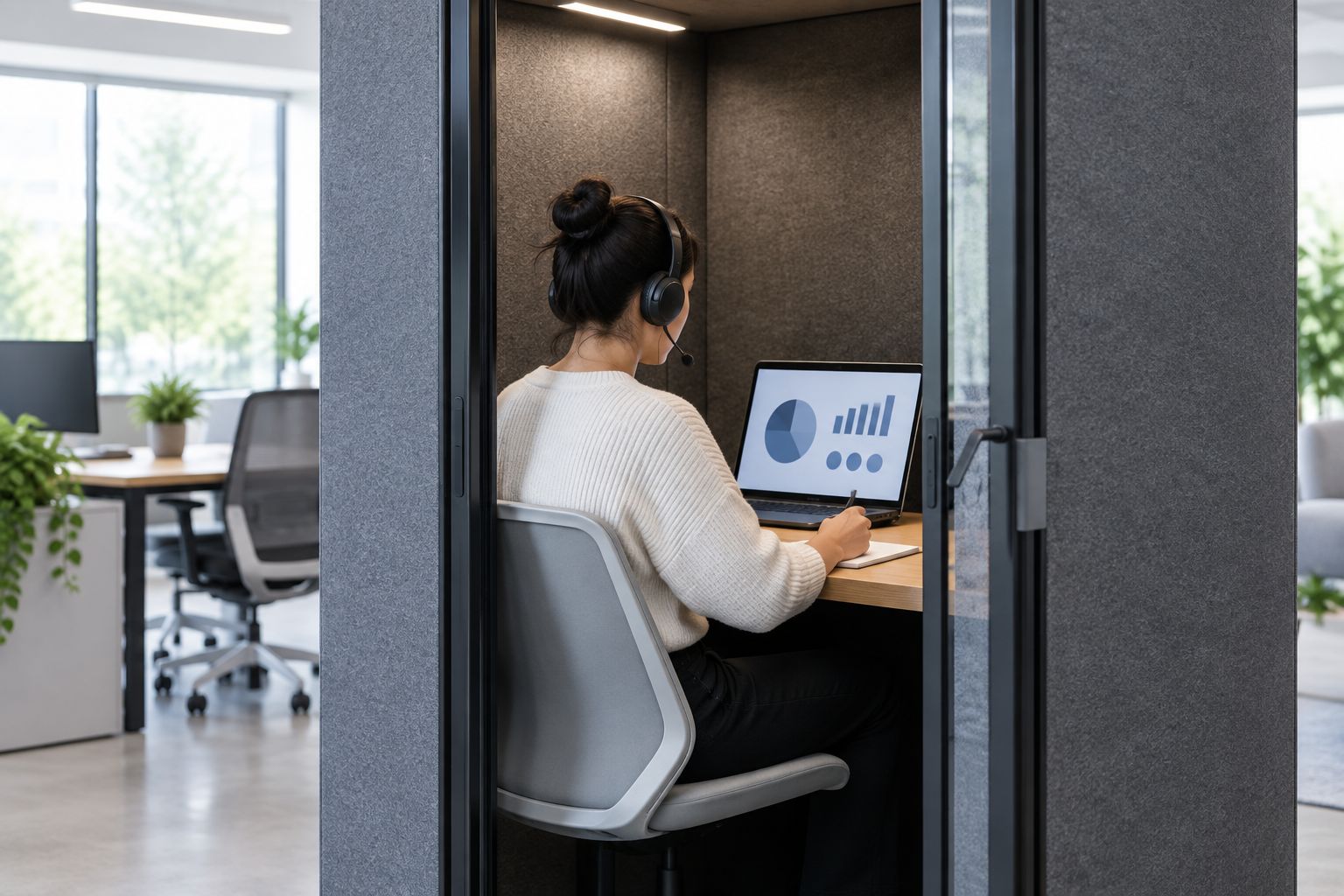
Schedule by live session and physical occupancy, not by the number of remote candidate windows. Reserve the booth for the entire working period, including your preparation and handover. Make the booking purpose clear so an available-looking enclosure is not treated as a general meeting room.
Which booth should you choose?
Choose Office Phone Booth Folio when an individual invigilator needs a private call workspace. Choose Office Phone Booth Quell - 2 Person when an invigilator and supervisor genuinely work together inside the enclosure. Choose Folio Meeting Booth - 2-4 Person for shared exam administration, not as a substitute for separate spoken-session spaces.
For an undecided buyer, the default is the individual workflow. Start there, then add occupancy only when you can name the colleague and task that require it. Soundbox Store’s acoustic booth range gives you several formats; the exam workflow determines which belongs on your shortlist.
FAQ
What is the best soundproof booth for remote exam invigilation?
Office Phone Booth Folio is the default shortlist choice for a lone remote invigilator. Its supplied description names one-person private calls, video meetings and focused work; confirm your equipment arrangement and the examination provider’s requirements before choosing it.
Should an invigilator and supervisor use a two-person booth?
Office Phone Booth Quell - 2 Person is the relevant shortlist option when an invigilator and supervisor work together on the same session. Confirm the shared screen, camera and microphone arrangement rather than assuming two-person occupancy means two complete workstations.
Can several invigilators run different exams in one meeting booth?
Do not choose a shared meeting booth as a substitute for separate spoken-session spaces. Its occupancy rating describes people sharing an enclosure, not independent acoustic zones for unrelated instructions.
Does a soundproof booth guarantee silence during an exam call?
A soundproof booth does not establish complete silence during an exam call. Check incoming distractions, outgoing speech and the remote microphone feed using the intended equipment and ordinary surrounding activity.
Is an office booth automatically approved for online examinations?
An office booth is not automatically approved for online examinations. Confirm the examination provider’s room, camera and audio requirements, and distinguish the invigilator’s workspace from the candidate’s exam environment.
What should I check before choosing an invigilation booth?
Check physical occupancy, the actual workstation arrangement, audio in both directions, the camera view and the interruption procedure. Use a demonstration session with non-sensitive material so the selection reflects the work you will perform.
One last thing
Write the intended use in a single sentence before choosing: An individual invigilator monitors remotely, and supervisory help joins by call. If that describes your operation, extra meeting seats solve a different problem. Keep the shortlist centred on the individual workspace, and change formats only when the job changes.


