 es/pt
es/pt




















 Guía de productos
Office Pods for Data Center Teams: What Fits Your NOC
Office pods for data center teams give on-call engineers, NOC staff and hosting operations managers a private, sound-reduced space for incident calls and vendor escalations without leaving the floor they're monitoring. A data centre or hosting environment has different noise and shift patterns to a normal office, so the sizing and placement logic is different too.
- Office pods for data center teams work best sized to the on-call rotation, not the org chart.
- Soundbox Store's Quell Office Pod Solo suits a single on-call engineer taking incident calls on the floor.
- A 2-person meeting booth covers paired escalation shifts and handovers without booking a meeting room.
- Pods rated for 30-35 dB of noise reduction need to clear the loudest point on the floor, not the quietest.
- Placement near the racks beats placement down the hall every time an incident bridge gets called.
Why this matters for data centre and hosting teams
A server floor is loud in a way a normal office isn't. Cooling units cycle on and off, rack fans run constantly, and alarm panels chirp whenever a sensor trips. None of that stops for an incident call.
On-call rotations also run on a different clock. A single engineer covering an overnight shift needs somewhere quiet close by, not a meeting room three floors up that's booked until 9am. That's the gap a Quell Office Pod Solo or similar enclosure is built to close.
Teams already solving this for adjacent roles have written it up too: private pods for network operations center teams covers the NOC-specific version of the same problem. Hosting and data centre teams sit right next to that use case, often on the same floor.
Map the noise sources on your floor
Before picking a pod size or spec, walk the floor during a live shift and note where the noise actually comes from. This costs nothing and takes an hour.
- CRAC or CRAH cooling units and their duty cycles
- Rack-mounted fan noise, which varies by aisle
- Alarm panels and audible sensor alerts
- Foot traffic through cold and hot aisles
- Structural echo off exposed concrete or metal decking
A phone decibel meter app is accurate enough for this. Record the loudest point on the floor at the loudest time of day, not the quiet 3am reading.
Match pod size to your on-call rotation
Start with the calendar, not the headcount. A rotation with one engineer per shift needs a different footprint to a rotation with a paired escalation partner.
The manual approach: borrow a spare office or meeting room part-time and see how often it's actually free when an incident hits. Most teams find it's booked or occupied at the exact moment they need it.
- One engineer per shift: a single-occupant enclosure
- Paired escalation shifts: room for two, side by side
- Multi-stakeholder incident bridges: four or more seats
- Shift handovers: a space both outgoing and incoming engineers can use briefly
- Vendor calls that need a whiteboard or second screen: more floor space than a phone booth
When the manual borrowing stops working, sizing shifts to a purpose-built pod. A 2-person meeting booth covers paired troubleshooting and handovers without a booking system. Buy if your rotation regularly pairs two engineers on the same incident.
Set your acoustic performance bar
A pod's noise reduction spec only matters relative to the room it sits in. A rating that works in a quiet open-plan office does nothing next to a row of active racks.
- Measure ambient noise at the loudest point on the floor
- Compare that reading against the pod's stated reduction range
- Check the reduction figure clears the loudest moment, not the average
- Confirm door seals and glass panels are part of the stated rating, not add-ons
Soundbox Store's Quell range is built to a 30-35 dB noise reduction range. That's the figure to weigh against your own floor reading before ordering.
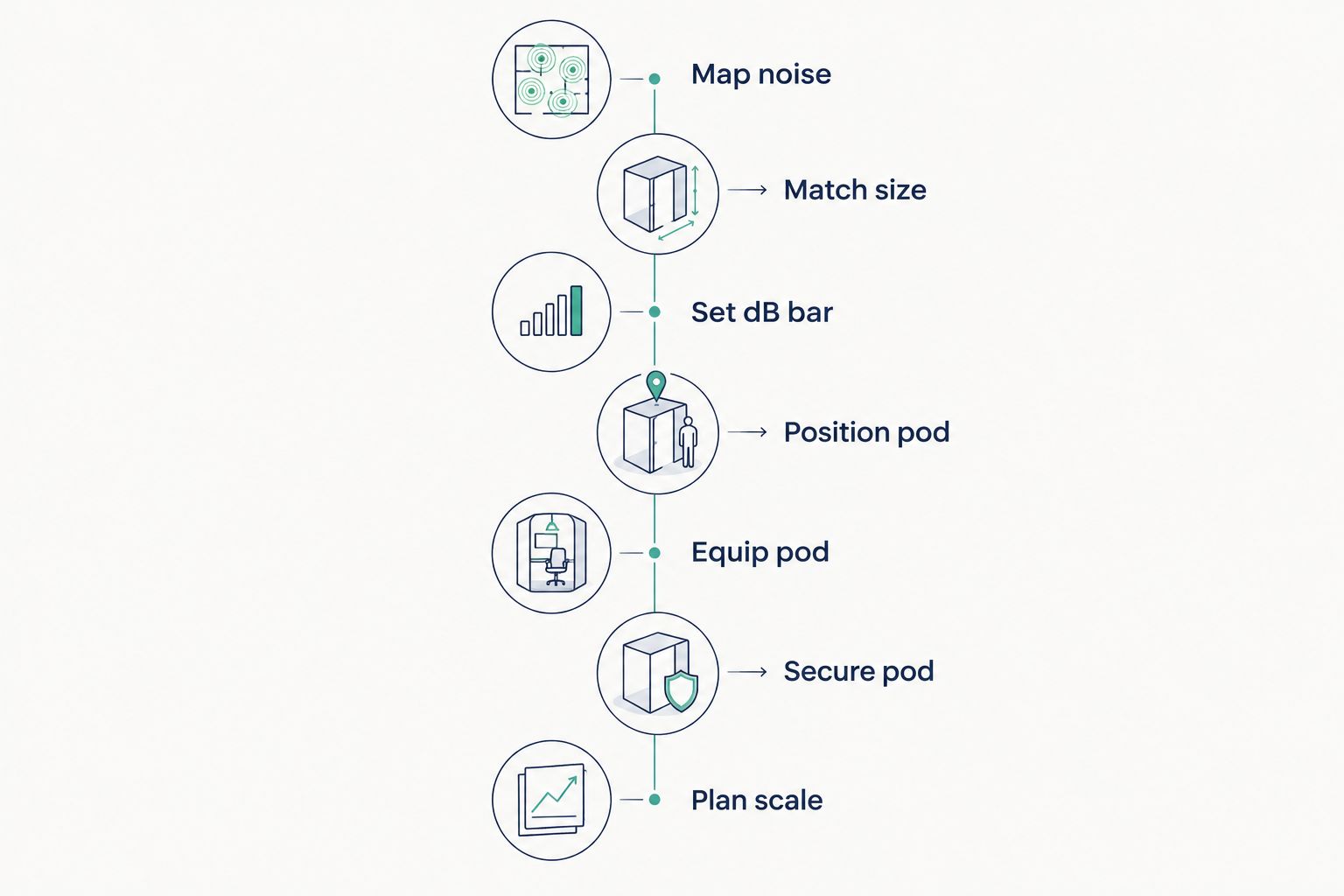
Position the pod where the incident traffic is
A pod down the hall from the racks adds walk time to every incident call. Position matters as much as size.
- Keep the pod on the same floor as the equipment it supports
- Keep sightlines to alert boards or status monitors where possible
- Avoid placing it in a dead corner nobody passes during a shift
- Leave enough clearance around it that foot traffic doesn't queue at the door
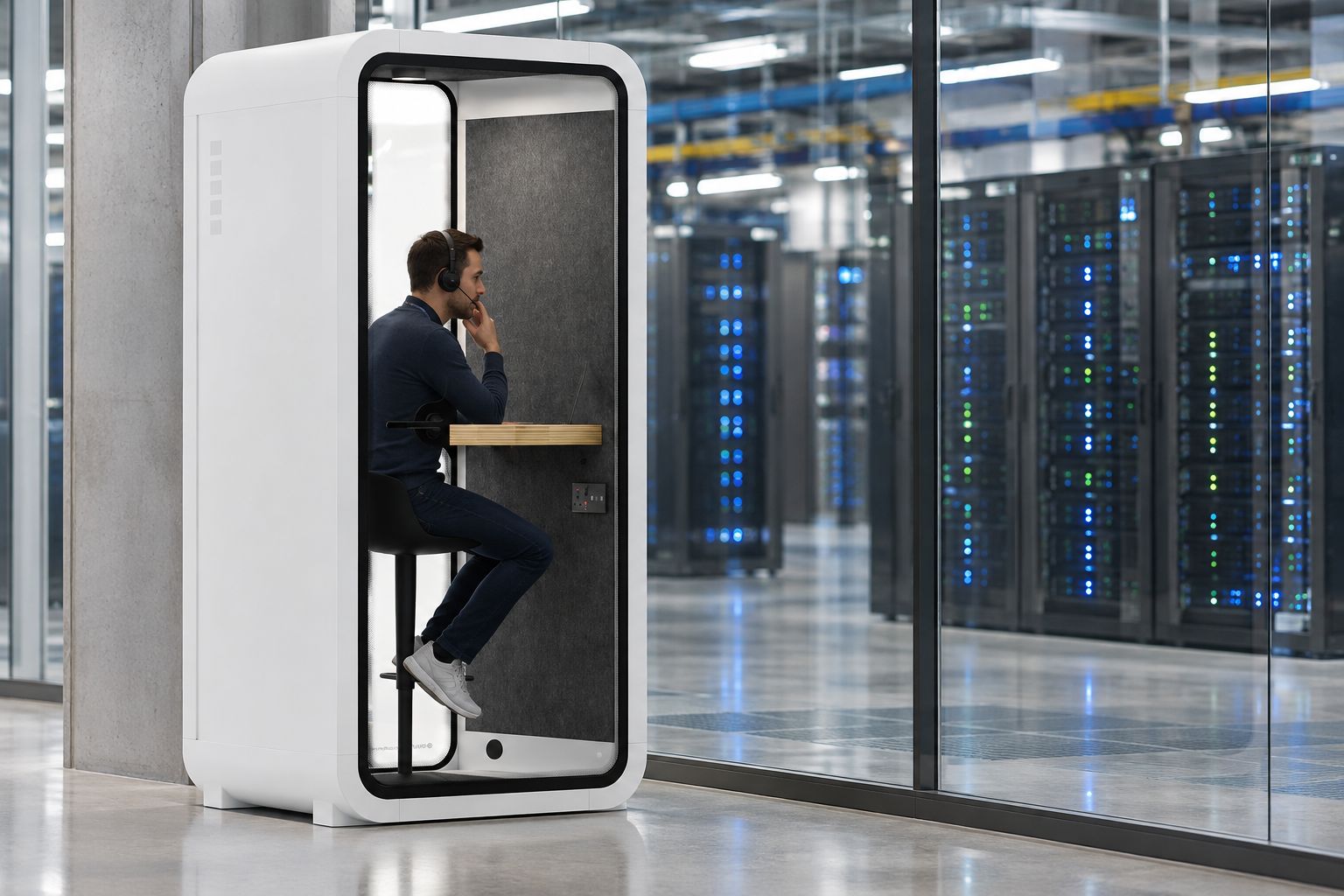
Equip it for shift-length calls
An overnight shift means someone might be in the pod for twenty minutes or two hours. Furniture choice changes with that range.
- A desk surface wide enough for a laptop and a notepad
- A seat built for sitting through a long call, not a quick perch
- Power access close enough that a laptop charger reaches
- A shelf or ledge for a second monitor or headset stand
Secure it in shared or colocated facilities
Colocated data centres often have visitor and vendor access to the same floor as staff. A pod that anyone can walk into mid-call isn't private.
- Start with a simple occupancy indicator so people know it's in use
- Move to an electronic access control accessory for shared floors
- Restrict access during specific shift windows if the floor has rotating tenants
- Log who used the pod and when, if the facility already tracks room bookings
If the incident bridge takes longer to book than to resolve, the pod is in the wrong place or the wrong size.
“If the incident bridge takes longer to book than to resolve, the pod is in the wrong place.”
Plan for scale as headcount grows
A pod sized for a three-person on-call team won't cover a team of eight. Plan the next step before it's urgent.
- Track how often the pod is occupied during a typical week
- Note when a second pod would remove a queue rather than add cost
- Check whether the current pod can relocate cleanly if the floor layout changes
- Budget for a second, larger booth before the first one is booked solid
Which pod size fits a data centre or hosting team
| Option | Best for | Capacity | Key limitation |
|---|---|---|---|
| Quell Office Pod Solo | single on-call engineer taking incident calls | 1 person | not built for multi-person incident bridges |
| 2-Person Meeting Booth | paired escalation calls and shift handovers | 2 people | needs more floor space than a stand-up booth |
| Office Phone Booth Folio (Stand Up) | tight footprints next to server rows | 1 person, standing | no seated option for long shifts |
Buy the Quell Office Pod Solo for a single-engineer rotation. Buy the 2-Person Meeting Booth for paired escalation shifts. Hold on the stand-up Folio if calls regularly run past 30 minutes and a seat matters more than footprint.


Common mistakes data centre and hosting teams make
- Picking a noise reduction spec against the average floor reading, not the loudest one. A pod that works fine at 2am fails at shift change when the aisle fills up.
- Sizing to the org chart instead of the rotation calendar. A team of six engineers might only ever have one or two on the floor at once.
- Placing the pod for tidiness rather than proximity. A pod in a quiet corner away from the racks adds walk time to every incident call.
- Skipping access control on shared or colocated floors. Vendor and visitor access means a pod without a lock isn't actually private.
- Buying one pod and stopping there. Utilisation climbs fast once a team relies on it, and a single booth becomes a queue.
FAQ
What are office pods for data center teams used for?
Office pods for data center teams give on-call engineers a private space for incident calls, vendor escalations and focus work on or near the server floor. They replace borrowing a meeting room that may be booked when an incident hits.
Is a solo pod or a 2-person booth better for on-call engineers?
A solo pod like the Quell Office Pod Solo suits a single engineer per shift; a 2-person booth suits paired escalation calls and shift handovers. Check your rotation calendar before choosing, since headcount on paper rarely matches who's actually on the floor at once.
How much noise reduction do office pods provide near server racks?
Soundbox Store's Quell range is built to a 30-35 dB noise reduction range. That figure needs to clear the loudest point on your floor, not the quietest reading, since cooling units and rack fans run constantly.
Can an office pod sit directly on a data centre floor?
Pods are designed as freestanding enclosures and can be positioned close to the equipment they serve rather than in a separate room. Keeping the pod on the same floor as the racks cuts the walk time during an incident.
What size pod works best for an incident response bridge call?
A multi-stakeholder incident bridge typically needs four or more seats, while a paired escalation call fits a 2-person booth. Match the pod to how many people are actually on the bridge, not the full on-call list.
How do office pods compare with booking a meeting room for hosting teams?
A dedicated pod is available on demand next to the floor, while a meeting room usually needs booking and may sit elsewhere in the building. For a shift that can't wait for a room to free up, a pod removes that delay entirely.
One last thing
The biggest sizing mistake isn't picking the wrong pod, it's picking the pod for the org chart instead of the shift schedule. A team of eight engineers might only ever have one person on the floor at 3am, which makes a solo pod the right call even for a larger team.


