 fr/gb
fr/gb



















 Guide produit
Office pods for appraisal and valuation firms: complete guide
Appraisal and valuation firms’ office pods are enclosed workspaces for calls, report preparation and small reviews, with the aim of separating concentrated work from shared-office conversation. Choose around the valuation task: discussing an instruction, checking comparable evidence and explaining a conclusion require different working arrangements.
- Office pods for appraisal and valuation firms should match private calls, evidence reviews and report-writing needs.
- Soundbox Store office pods suit valuation teams seeking dedicated call spaces and small meeting booths.
- Office Phone Booth Folio is best for individual calls; Office Phone Booth Quell - 2 Person suits paired reviews.
- Separate acoustic privacy from screen privacy, and keep client identifiers out of booking titles.
Why office pods matter for appraisal and valuation firms
A valuation office needs places to speak and places to think. A client call about an asset, an internal challenge to an assumption and uninterrupted report drafting should not all compete for the same shared desk.
Start by separating these activities in your existing calendar. For individual conversations, the Office Phone Booth Folio is described as a one-person booth for private calls, Zoom meetings and focus work.
Soundbox Store office pods are best for valuation teams seeking dedicated spaces for individual calls and small reviews. Their limitation is equally important: an enclosure does not organise your case files, control what appears on a screen or decide which conversations belong behind a closed door.
Use the pod as a workplace resource, not as a substitute for professional judgement. Match the enclosure to the activity, then establish how your team books and leaves it.
How to plan office pods for a valuation practice
1. Map the work that needs separation
Use a spreadsheet and your existing room calendar before considering another workspace. Record which activities leave the desk, why they leave and whether a suitable room was already free. Keep client names and case details out of this planning log.
Distinguish property appraisal, business valuation and other specialisms by their actual workflows rather than assuming every instruction follows the same pattern. A call to clarify an instruction is different from reviewing a spreadsheet with a colleague. Both need space, but not necessarily the same space.
Look for the recurring task you want to accommodate. Specify the job before specifying the pod.
- Label sessions as client calls, evidence reviews, report drafting or internal challenge meetings.
- Record whether participants are physically present or joining remotely.
- Note the documents and devices needed for each activity.
- Mark occasions when an existing room was unsuitable or occupied.
- Separate speech-related interruptions from interruptions caused by movement or screens.
2. Count people in the room, not on the call
Use meeting invitations to establish local attendance. A video meeting with several remote participants still needs only a solo workspace if one valuer attends from the office. Conversely, a valuer and reviewer sharing a laptop need a workspace intended for both people.
The supplied Soundbox Store range includes 1-person phone booths, 2-person meeting booths and meeting rooms up to 6-person capacity. Those capacities describe different use cases; they are not reasons to select a larger enclosure automatically.
For paired review, distinguish talking through a conclusion from working through evidence together. The latter requires you to check the working arrangement with the documents and devices you actually use, rather than relying on the person count alone.
- Count everyone physically attending the session.
- Separate solo video calls from paired desk-based reviews.
- List the documents that must remain visible during discussion.
- Identify sessions that already work well in a larger meeting room.
- Shortlist only capacities that correspond to recurring tasks.
3. Match the booth to the valuation task
Begin with existing resources: reserve an enclosed room for sensitive discussion and protect desk-based focus time through a shared calendar. If those arrangements do not accommodate the work identified in your log, compare a dedicated booth with that specific gap.
Soundbox Store offers individual phone booths and paired meeting booths. Office Phone Booth Folio suits an individual call or video meeting; Quell Office Pod Solo is described as a 1-person phone booth for private calls. Office Phone Booth Quell - 2 Person is described as an enclosure for private meetings between two people.
These descriptions establish intended use, not the suitability of every working arrangement. For report production, check the workspace with your normal device and documents before choosing a phone booth. A call-focused product description alone does not answer that question.
- Match individual instruction calls to a solo-booth shortlist.
- Match valuer-and-reviewer discussions to a paired-booth shortlist.
- Retain an existing meeting room for sessions needing more participants.
- Check whether your usual evidence pack fits the proposed working arrangement.
- Confirm the selected configuration rather than assuming accessories are included.
4. Separate speech privacy from visual privacy
Review privacy manually in your current rooms first. Sit where the valuer would sit and look at what a passing colleague or visitor sees: the screen, paper documents and the camera background. Use fictional material for this exercise.
A pod creates an enclosed setting, but the enclosure and your document-handling habits solve different problems. Do not treat a product described as soundproof as a promise that every conversation becomes inaudible. Keep the decision focused on the particular booth and the intended use.
For valuation work, the practical question is not simply whether a call feels quieter. It is whether the working arrangement lets you discuss the instruction without displaying unrelated client information or leaving evidence behind.
- Check screen visibility from surrounding desks and visitor routes.
- Keep case files out of the video-call background.
- Use neutral booking titles instead of client or asset names.
- Discuss sensitive material only in the workspace designated for that purpose.
- Remove documents and sign out of shared devices after each session.
5. Rehearse a real review workflow
Start by rehearsing in an existing room using the same laptop, headset and document format your team normally uses. This identifies problems with your meeting workflow separately from problems with the workspace.
For a paired review, work through a fictional instruction, comparable evidence, an adjustment and a draft conclusion. For a solo call, practise moving between notes and the video window. The purpose is to check how the task works, not to claim a measured improvement.
If you assess a proposed booth, repeat the same workflow. Judge a review space by the work you can complete in it, not by an empty-room impression. Check connectivity with your usual equipment rather than assuming a particular connection is supplied.
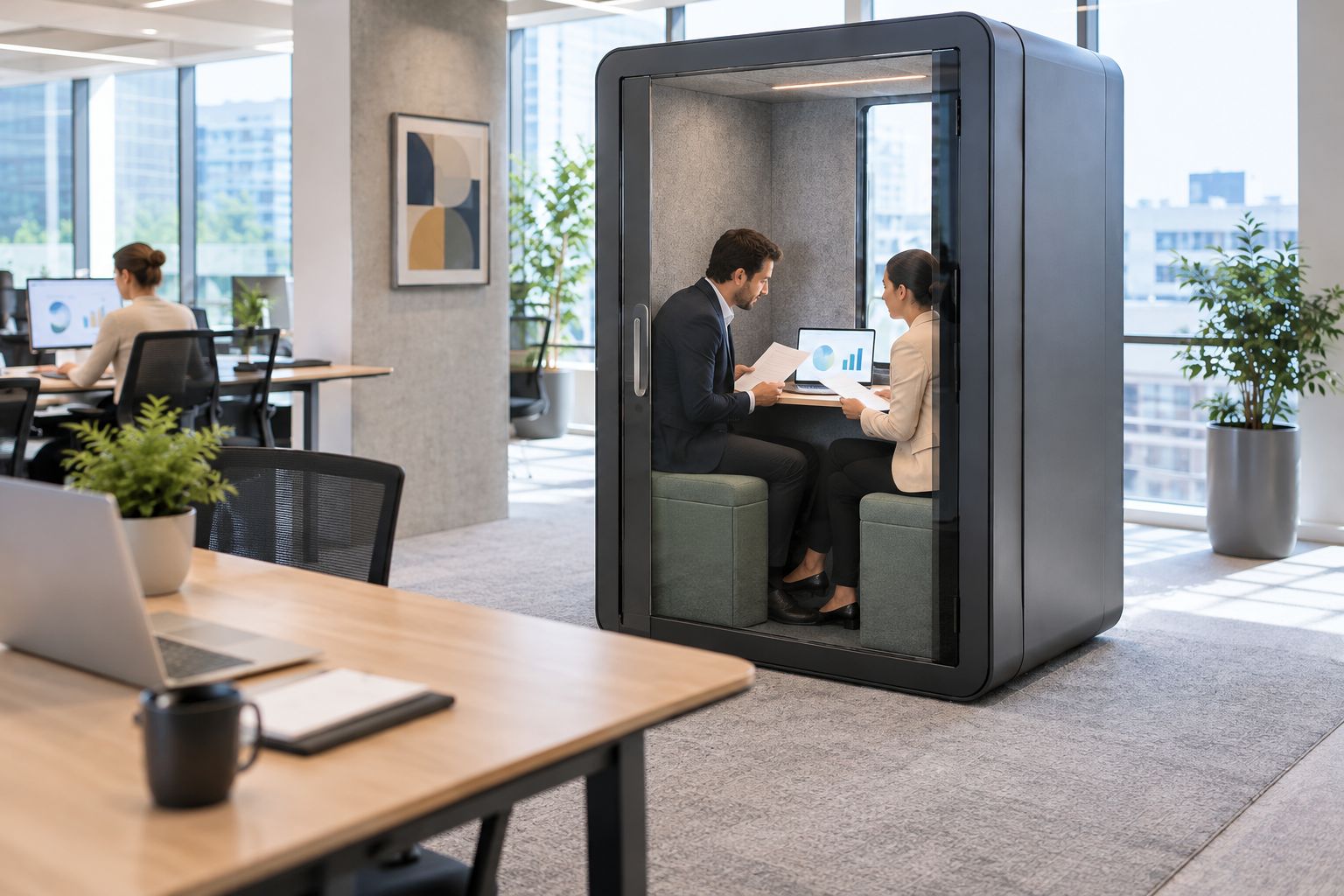
Bring the same checklist to each assessment so the comparison remains about your valuation work, rather than changing the task to suit the enclosure.
- Practise opening evidence and notes without exposing unrelated files.
- Check that both local participants can follow the document under discussion.
- Rehearse screen-sharing with a fictional valuation report.
- Check the camera background from the seated working position.
- Confirm your usual call connection with your own equipment.
6. Set booking rules around instructions and deadlines
Use your existing shared calendar before introducing another booking system. Create distinct booking categories for calls, paired reviews and focused report work. Categories make the intended use visible without revealing the instruction itself.
Protect time-critical client conversations without letting one user turn the booth into a permanent desk. If report drafting repeatedly occupies the call space, address that conflict directly: either reserve separate focus periods or reconsider the workspace mix.
Make cancelled sessions visible as free time again. A booked but empty booth does not help the colleague trying to discuss an urgent clarification, and buying another booth does not correct an unclear booking process.
- Give each workspace a neutral, consistent calendar name.
- Require a task category without client-identifying details.
- Ask users to release bookings when a call moves or an inspection overruns.
- Define how urgent instruction calls displace non-urgent focus sessions.
- Assign an owner to resolve booking conflicts and review recurring misuse.
7. Measure use before expanding the provision
Track use in the same spreadsheet that supported the initial decision. Record completed sessions, booking conflicts, unused reservations and occasions when the team still needed another room. Do not assign financial savings to an interruption unless your own records support the calculation.
Compare the actual task mix with the original brief. If individual calls dominate, adding another paired-review space does not address that demand. If reviewers still return to the meeting room to spread out documents, investigate the working arrangement before adding a similar booth.
Expand around unresolved tasks, not around headcount alone. Keep the existing room in the comparison: it remains a useful option when it already meets the firm's needs.
- Record whether each booking was used.
- Count conflicts separately for calls, reviews and report work.
- Note tasks that still move to an existing meeting room.
- Ask users which parts of the workflow remain awkward.
- Change booking rules before assuming another purchase is necessary.
Compare workspace options for valuation work
The right option depends on the task you have logged. The table separates intended use from limitations; it does not rank products by acoustic performance or assume every configuration has the same furniture.
| Option | Best for | Practical advantage | Key limitation |
|---|---|---|---|
| Existing enclosed meeting room | Reviews needing your current room's working arrangement | Uses a workspace your team already has | Competes with other room bookings |
| Office Phone Booth Folio | Individual instruction calls and video meetings | Described for one-person private calls, Zoom meetings and focus | Not intended for a paired meeting |
| Quell Office Pod Solo | Individual private calls | A dedicated 1-person phone booth | Its call-focused description does not establish suitability for your full report-writing setup |
| Office Phone Booth Quell - 2 Person | Valuer-and-reviewer conversations | Described for private meetings between two people | Does not accommodate a larger locally attending review team |
Do not force a product distinction the available descriptions do not establish. If both solo booths meet the call brief, check their current configurations against your requirements instead of inventing a performance ranking.
The following products correspond to the individual-call and paired-review uses above. Treat the cards as a shortlist, then confirm the configuration for your workplace.


Common mistakes appraisal and valuation firms make
- Buying for total staff numbers instead of local attendance. A remote client does not need a seat in the booth. Count the people physically reviewing evidence together.
- Treating client calls and report production as identical tasks. A booth suited to a conversation still needs checking against your laptop, notes and evidence-review workflow.
- Using case identifiers in booking titles. A private conversation loses part of its purpose when the shared calendar displays the client or asset under discussion.
- Assuming enclosure solves every privacy issue. Screen visibility, camera backgrounds and documents left behind require separate working habits.
- Leaving paired-review bookings open-ended. A booth occupied for general administration stops serving the specific review and call tasks that justified it.
FAQ
What's the best office pod for a valuer taking client calls?
A one-person phone booth is the relevant starting point for a valuer taking calls alone. Office Phone Booth Folio and Quell Office Pod Solo are described for individual private calls; check the selected configuration against your working requirements.
Should a valuation review use a solo booth or a two-person booth?
Use a two-person booth when the valuer and reviewer are physically attending together. A solo booth suits a single local participant, even when other people join remotely.
Can an office pod replace our valuation meeting room?
An office pod replaces only the tasks that fit its intended capacity and working arrangement. Keep the existing room for reviews that require more local participants or a different document layout.
Does a soundproof booth guarantee confidential conversations?
Do not treat a soundproof product description as a guarantee of confidentiality. Assess the particular workspace for the intended discussion and manage screen visibility, booking information and documents separately.
Can we use a phone booth for writing valuation reports?
Use a phone booth for report writing only after checking the selected working arrangement with your normal equipment and documents. A product's stated call use does not by itself establish that it suits sustained evidence review.
How do we decide whether the firm needs another pod?
Base the decision on recorded booking conflicts and tasks that still lack a suitable workspace. Separate call demand from paired-review demand, and correct unused reservations before expanding provision.
One last thing
Write the booking categories before choosing the booth. If your team cannot distinguish an instruction call from a paired evidence review or a drafting session, the purchase brief is not ready.
The most useful next move is a task log, not a larger enclosure. Let the work tell you which space is missing, then shortlist a booth that serves that purpose.


