 no/gb


 Produktguide
Best soundproof booths for game developers and streamers
Best starting point for private developer calls: Quell Office Pod Solo. Best for a studio that changes layout: Office Pod Quell Flex. Best for co-host planning: Office Phone Booth Quell - 2 Person. Best for team reviews: Quell - 4 Person Meeting Booth. If you need a soundproof booth for streamers, choose by your working format, then check the recorded result with your actual equipment.
- Soundbox Store’s Quell Office Pod Solo is the default soundproof booth for streamers who primarily need private developer calls.
- Office Pod Quell Flex suits individual work in studios that reconfigure.
- Office Phone Booth Quell - 2 Person suits co-host planning; Quell - 4 Person Meeting Booth suits team reviews.
- Choose acoustic office pods by task and occupancy, then assess microphone recordings before committing to a streaming setup.
Why this matters
A game developer joining a publisher call has a different requirement from a streamer recording live commentary. Both need separation from surrounding activity, but the streamer also needs to judge what reaches the microphone. A private workspace and a finished recording environment are different purchases.
Soundbox Store sells acoustic office pods and meeting booths for private workplace activity. Treat the products below as workspace options to shortlist, not as interchangeable recording studios. Your voice, microphone, computer and working format still determine whether a particular booth suits your stream.
This guide focuses on spoken commentary, developer updates and production discussions. It does not rank booths for loudspeaker playback, music production or critical game-audio mixing.
What makes the best soundproof booth for streamers?
Start with the activity you want to separate from the surrounding workplace. These criteria keep the decision tied to that activity rather than to the largest enclosure in the range.
- Working format: distinguish solo commentary, private developer calls, co-host planning and team reviews.
- Occupancy: count the people physically inside, not the participants joining remotely.
- Equipment workflow: identify what you need within reach, including your computer, microphone, camera and controls.
- Recorded sound: listen to speech and pauses through your normal recording chain; do not judge only by how quiet the booth feels.
- Studio organisation: decide whether the booth serves a dedicated creator or a shared development team.
A product intended for private calls is a relevant starting point for spoken work. It is not proof that your complete streaming workstation will suit that enclosure. Keep the shortlist task-led, then confirm the configuration against your equipment.
Soundproof booths at a glance
| Product | Best for | Stated purpose or capacity | Key limitation for this use case |
|---|---|---|---|
| Quell Office Pod Solo | Private developer calls and remote production check-ins | Single-person phone booth designed for private calls | Not a shared space for a developer and producer |
| Office Pod Quell Flex | Individual work in studios that reconfigure | Single-person soundproof office pod built for offices that reconfigure | Still an individual workspace, not a co-host booth |
| Office Phone Booth Quell - 2 Person | Co-host planning and paired developer discussions | 2-person freestanding acoustic meeting enclosure | Meeting capacity does not establish room for a complete broadcast setup |
| Quell - 4 Person Meeting Booth | Small-team game reviews and production discussions | Meeting enclosure designed to seat 4 people | Team seating does not establish a multi-camera production layout |
The table separates four jobs rather than declaring an acoustic winner. Choose the row that matches your regular activity. A larger meeting booth is not automatically the better choice for an individual streamer.
1. Quell Office Pod Solo: best for private developer calls
Quell Office Pod Solo is a single-person phone booth designed for private calls. It is the clearest starting point when your main problem is finding a separate place for publisher conversations, remote production check-ins or individual development updates.
Soundbox Store’s Quell Office Pod Solo is best for individual developers who need a private call space. That is a narrower, more useful recommendation than calling it a ready-made streaming studio. For live commentary, assess your equipment and recorded speech before choosing the final configuration.
Quell Office Pod Solo pros
- Its stated purpose directly matches private calls.
- Single-person occupancy suits an individual developer joining remote colleagues.
- It gives a shared studio a dedicated option for individual conversations rather than team meetings.
Quell Office Pod Solo cons
- Single-person capacity does not suit an in-booth co-host or producer.
- A phone-booth brief does not establish compatibility with a full gaming desk, multiple monitors or camera equipment.
Best for: a developer whose priority is private spoken communication, with streaming as a separate equipment check.
Verdict: Buy for individual developer calls; assess the complete setup before choosing it for live streaming.
2. Office Pod Quell Flex: best for studios that reconfigure
Office Pod Quell Flex is a single-person soundproof office pod built for offices that reconfigure. Its distinct use case is an individual workspace within a studio whose organisation changes between projects.
Choose Office Pod Quell Flex because that working context matches your needs, not because the name implies better recorded audio. For a developer who switches between focused work and remote conversations, the relevant question is whether the selected configuration supports both activities.
Office Pod Quell Flex pros
- Its stated purpose addresses offices that reconfigure.
- Single-person occupancy matches individual development and call tasks.
- It offers a task-specific alternative to choosing a meeting booth for one person.
Office Pod Quell Flex cons
- It does not provide shared occupancy for a developer and collaborator.
- Its reconfiguration focus does not establish a recording-performance advantage over another solo booth.
Best for: individual developers working in studios that regularly reconsider how their workspace is organised.
Verdict: Buy when a reconfiguring studio is the deciding factor; hold if you only need a straightforward private-call booth.
3. Office Phone Booth Quell - 2 Person: best for co-host planning
Office Phone Booth Quell - 2 Person is a freestanding acoustic enclosure designed for two people to hold private meetings. It suits the planning side of a creator’s work: discussing a broadcast with a co-host, reviewing an interview outline or talking through a game demonstration with a producer.
The 2-person capacity is the reason to shortlist it. Do not treat that capacity as confirmation that two complete streaming stations fit inside. Plan the conversation first, then assess any proposed recording arrangement separately.
Office Phone Booth Quell - 2 Person pros
- Its stated capacity matches a face-to-face conversation between two collaborators.
- Its meeting purpose suits planning and review discussions.
- It separates paired work from the individual-call role of a solo booth.
Office Phone Booth Quell - 2 Person cons
- It is not the right capacity for a larger production discussion.
- Seating two people does not establish space for additional broadcast equipment.
Best for: co-hosts, developer–producer pairs and colleagues planning spoken content together.
Verdict: Buy for paired planning; hold until the equipment layout is confirmed if you intend to broadcast together.
4. Quell - 4 Person Meeting Booth: best for small-team game reviews
Quell - 4 Person Meeting Booth is a freestanding acoustic meeting enclosure designed to seat four people. It is the team option for discussing a build, reviewing a demonstration or agreeing what a developer update should cover.
For a studio producing streams, the meeting booth serves the people preparing the content. That is different from serving as the recording location itself. Choose the team capacity when shared discussion is the recurring requirement, rather than enlarging a solo-streaming brief without a reason.
Quell - 4 Person Meeting Booth pros
- Its stated 4-person capacity supports a small production discussion.
- Its meeting purpose matches collaborative review rather than individual calls.
- It gives the shortlist a distinct option for a development team working together.
Quell - 4 Person Meeting Booth cons
- Four seats do not establish a multi-camera broadcast configuration.
- It is a team meeting choice rather than the default for a lone creator.
Best for: small development teams reviewing content and planning game demonstrations together.
Verdict: Buy for regular team reviews; skip for an exclusively solo-call requirement.
Check the streaming workflow before choosing
A booth decision should follow your working sequence. Start with the conversation or commentary you actually produce, then assess the space using that sequence rather than an empty-room impression.
Define the session
Write down whether you will join a private call, record commentary or broadcast live. Include who is physically present and what each person does. A remote guest does not create a need for another seat inside the booth.
Assess the equipment arrangement
List everything you need within reach while speaking. Include the microphone, camera, keyboard, controls and any device used to monitor the stream. Confirm the proposed furniture and working arrangement with the supplier; do not assume the booth includes a particular desk or accessory.
Listen to the recording
If a demonstration is available, record ordinary speech and quiet pauses using your intended microphone. Listen back on headphones. Check whether background sound, internal reflections or your own equipment distract from the voice.
Review the working experience
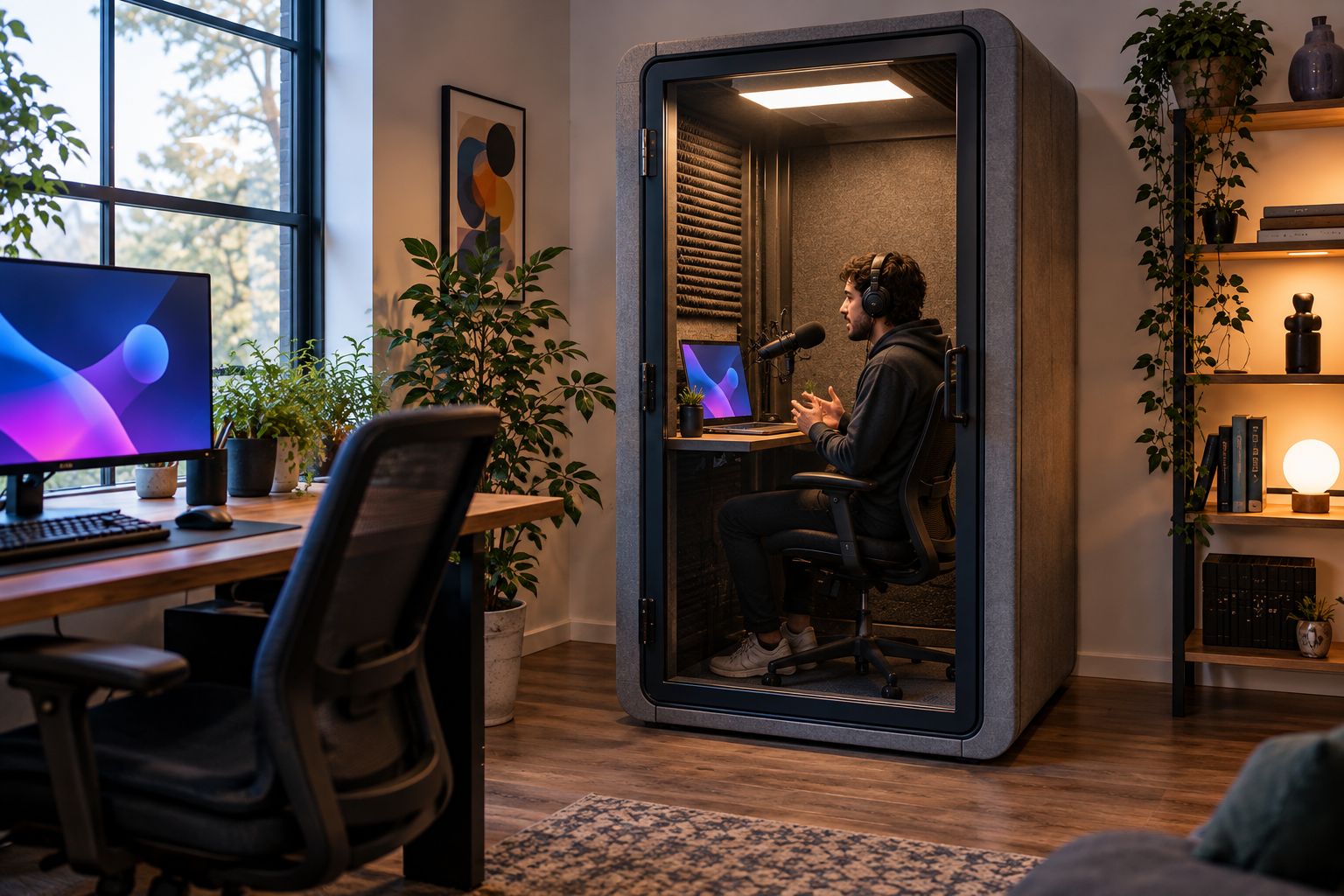
Rehearse the tasks you perform during a real session: looking between screens, using controls and addressing the camera. Judge the complete activity, not just a still photograph of the booth. Your shortlist should survive a workflow check before it becomes a purchase decision.
How the recommendations are ordered
The order follows the jobs described in the product information: individual private calls, individual work in a reconfiguring office, paired meetings and small-team meetings. It is a use-case shortlist, not a measured comparison of recording performance.
Soundbox Store’s acoustic office pods cover different workplace activities. The recommendation changes when your activity changes. No position in this list means that one booth produces a cleaner microphone signal than another.
Which soundproof booth should you choose?
Choose Quell Office Pod Solo if you are undecided and your main requirement is individual developer calls. It has the most direct match between that task and its stated purpose.
Choose Office Pod Quell Flex when the studio’s changing organisation is central to the brief. Choose Office Phone Booth Quell - 2 Person for regular paired planning, or Quell - 4 Person Meeting Booth for small-team reviews.
If live streaming is the main purpose, keep the purchase conditional on the equipment and recording checks. Do not let a useful private-call enclosure become an assumed substitute for assessing the broadcast environment.
FAQ
What is the best soundproof booth for streamers who also make developer calls?
Quell Office Pod Solo is the default shortlist choice when private developer calls are the main requirement. It is a single-person booth designed for private calls; assess your microphone recording and equipment arrangement separately for streaming.
Will a soundproof office booth make my stream silent in the background?
Do not expect a booth alone to produce a silent recording. Your microphone also captures sound within the enclosure, so assess speech and quiet pauses with your intended equipment.
Which booth should a streamer and co-host consider?
Office Phone Booth Quell - 2 Person is the paired-meeting option in this shortlist. Its two-person capacity suits planning conversations, but confirm the proposed equipment arrangement before choosing it for a shared broadcast.
Should game developers choose a solo booth or a meeting booth?
Choose a solo booth for individual calls and a meeting booth when colleagues regularly need to sit together. Count physical occupants rather than remote participants.
Is Office Pod Quell Flex better for recording than Quell Office Pod Solo?
The use-case distinction is reconfiguration, not a proven recording advantage. Office Pod Quell Flex is built for offices that reconfigure, while Quell Office Pod Solo is designed for individual private calls.
Can a four-person meeting booth serve a game development team?
Quell - 4 Person Meeting Booth is a relevant option for small-team discussions because it is designed to seat four people. Treat any proposed streaming or multi-camera setup as a separate configuration decision.
One last thing
Count microphones separately from people. One streamer speaking to several remote guests still has a solo occupancy requirement; two people sharing a planning discussion have a paired-meeting requirement even when nothing is being recorded.
Before choosing, write a short brief covering the physical occupants, the activity and the equipment you need to operate. That brief gives Soundbox Store a clearer basis for discussing a suitable booth than a request for the largest or quietest option.


