 de/ch
de/ch



















 Produktleitfaden
Office pods for IT managed service providers: complete guide
IT managed service providers’ office pods are enclosed workspaces that separate client calls, technical discussions and focused work from the shared office. The right choice depends on who joins each conversation, what equipment they use and how quickly they need the space—not simply how many engineers you employ.
- Office pods for IT managed service providers should match client calls, technical pairing and service reviews—not total headcount.
- Soundbox Store offers single-person phone booths and a two-person meeting booth for different support workflows.
- Choose individual call space before larger meeting space when your recorded demand is mainly solo conversations.
- Acoustic separation does not replace screen privacy, account controls or client-data handling procedures.
Why office pods matter for IT managed service providers
A client call and an engineer handover need different spaces. Plan around the work: individual troubleshooting, paired escalation and scheduled service reviews. Separate routine call demand from meetings that genuinely require colleagues in the same room.
How to choose and use pods in an MSP office
Map your call demand
Start with your calendar and a simple tally sheet. Record the conversations that need separation from the service desk before deciding whether another enclosed space solves the problem.
- Mark individual client calls.
- Record paired technical discussions.
- Separate planned reviews from urgent requests.
- Note when suitable rooms are occupied.
Match the capacity to the task
For individual calls, compare the Quell Office Pod Solo. Soundbox Store describes it as a 1-person phone booth for private calls; that makes it a relevant option when one engineer speaks to a remote client rather than hosting colleagues inside.
Choose capacity by the people physically present, not everyone attending remotely. A call with several client participants does not automatically require a multi-person booth if only one engineer attends from your office. Conversely, a senior engineer joining a colleague for troubleshooting creates a different requirement.
Use an existing meeting room first for conversations that need more participants or equipment than a small booth accommodates. For repeated paired discussions, a 2-person meeting booth offers a separate option. Do not assume that a solo booth suits paired work just because both engineers can share a laptop.
Ask the people who will use the space to describe their actual working position: laptop open, headset connected, notes visible and any colleague seated nearby. Capacity alone does not describe that workflow, and product suitability should follow it.
- Count participants physically inside the space.
- Keep solo client calls distinct from paired troubleshooting.
- Identify the equipment used during each task.
- Compare individual booths with existing meeting rooms.
- Check the selected product description before choosing accessories.
Test the complete client-call workflow
Use your current quiet room to rehearse a typical support call before evaluating a booth. Follow the whole task, from accepting the call to updating the ticket afterwards. This gives you a practical comparison without treating the pod as a prerequisite.
Organise your evaluation around four tasks: Client calls, Technical pairing, Service reviews and Quiet work. Each exposes a different requirement. A client call tests conversation quality; technical pairing tests collaboration; a service review tests presentation needs; quiet work tests whether the space supports a complete task.
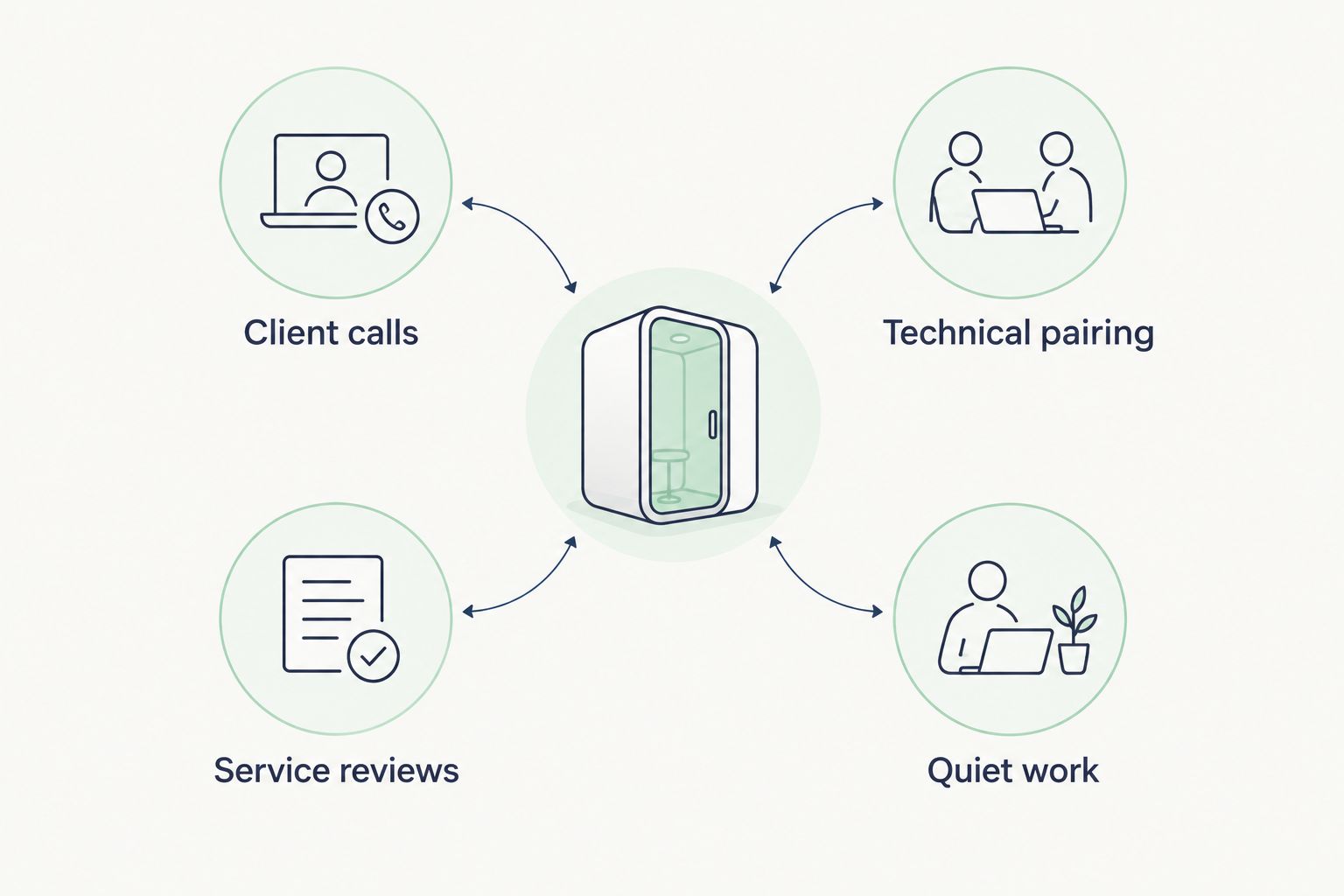
When evaluating an actual booth, repeat those tasks with your normal headset and laptop. Ask a colleague outside to describe what they hear during an ordinary conversation, without using real client information. Treat this as an operational check, not a substitute for a product’s documented acoustic measurements.
Listen to the remote participant’s experience as well. A space that seems quiet to the engineer still needs a suitable microphone arrangement and a usable call setup.
- Rehearse a client call with fictional information.
- Include a remote participant in the evaluation.
- Use your normal laptop and headset.
- Practise switching between conversation and ticket notes.
- Compare the workflow with your existing room.
Separate speech privacy from screen privacy
Begin with behaviours you already control: close unrelated tickets, share only the intended application and keep credentials out of demonstrations. An enclosure changes the conversation setting; it does not decide what appears on your screen.
For a managed service provider, acoustic separation and visual privacy are distinct requirements. A quieter conversation does not establish that someone outside cannot read a display. Check the viewing angles from normal circulation routes when assessing a potential workspace, and use fictional content for that check.
Keep client-data handling independent of the furniture choice. Your existing procedures for account access, remote sessions and information sharing still apply inside a booth. Do not describe an office pod as a secure incident room solely because it has an enclosed form.
Make the end of a session part of the routine. Engineers should remove notes, close client applications and leave the space ready for the next user. A shared booth should not become a place where someone inherits another client’s open session or written information.
- Close unrelated client records before calls.
- Share the intended application rather than the whole desktop.
- Check screen visibility using fictional content.
- Remove written notes when the session ends.
- Apply your existing account and session controls.
Validate your everyday connectivity workflow
Test the proposed work area with the applications your team already uses. Start with an ordinary support session in the existing office, then repeat the same sequence in the booth under consideration. Avoid treating a successful connection as proof that the complete workflow works.
An MSP call can involve conversation, remote access, ticket updates and knowledge-base searches at the same time. Evaluate those actions together. If an engineer must leave the space to retrieve information or finish notes, the booth is not yet supporting the full task.
Separate the enclosure decision from the technology decision. A product URL or acoustic description does not establish network connectivity, booking-system integration or compatibility with your preferred meeting equipment. Confirm any claimed feature against the selected product’s supplied information.
Keep this evaluation within normal application use; do not improvise changes to the booth’s electrical or ventilation systems. Document the workflow you need, then resolve equipment questions with the relevant supplier and your workplace team before committing to a configuration.
- Run your normal voice or video application.
- Open the ticketing system during the conversation.
- Practise a remote session with a test device.
- Check headset behaviour while switching applications.
- Record unresolved equipment requirements separately.
Define bookings around service priorities
Start with a shared calendar and clear usage rules. A manual process is enough to establish whether people need reservations, immediate access or a mixture of both. Do not select technology before defining how the space should operate.
A planned service review and an unexpected client escalation compete differently for room time. Decide which tasks belong in each space and how colleagues should respond when the preferred booth is occupied. Give engineers an alternative rather than leaving them to negotiate during a live client conversation.
Keep at least one suitable fallback in your workflow. That can be an existing room or another established call space; it does not have to be another pod. The aim is continuity of work, not making every conversation dependent on a particular enclosure.
Name calendar resources by capacity or task so people book the right space. Avoid client names in shared booking titles. Release cancelled reservations promptly, and distinguish a room reserved for a meeting from one someone has informally claimed for the afternoon.
- Define which tasks belong in each space.
- Separate scheduled meetings from immediate call needs.
- Name resources by capacity or intended task.
- Keep client identifiers out of shared booking titles.
- Specify a fallback when the preferred space is occupied.
- Release unused reservations promptly.
Measure use before adding more pods
Use the same tally sheet from your initial assessment after the space enters regular use. Record occupied periods, unsuccessful requests and the task involved. These observations give you a basis for the next decision without assuming a productivity result.
Separate actual use from reservations. A fully booked calendar can hide empty periods, while an unbooked booth can still receive frequent short calls. Ask users where the process breaks down: finding space, changing rooms, sharing information or completing notes.
Look at demand by task and capacity. Repeated solo calls point towards individual call space; repeated paired discussions point towards a different configuration. A larger meeting booth is not automatically the answer to a queue for individual calls, because it remains a shared resource.
Before purchasing again, check whether booking habits explain the problem. Long reservations, abandoned bookings and unclear priorities require operational changes first. If demand remains unresolved after those changes, use the recorded tasks to specify additional space rather than copying the first purchase.
- Record actual occupancy alongside reservations.
- Log requests that could not be accommodated.
- Identify the task behind each unsuccessful request.
- Ask users where the workflow becomes awkward.
- Correct booking problems before expanding.
- Match additional capacity to the unresolved demand.
Compare workspace options for your MSP
Soundbox Store office pods are best for MSPs seeking separate spaces for individual client calls and two-person discussions. The useful distinction is task fit: its single-person booths serve individual conversations, while its two-person meeting booth accommodates paired discussions.
Compare these options against the work you recorded. The product descriptions establish the stated purposes below; they do not establish that every model has identical fittings or acoustic performance.
| Option | Best for | Main advantage | Key limitation |
|---|---|---|---|
| Quell Office Pod Solo | Individual engineer-to-client calls | Described as a 1-person phone booth for private calls | Does not provide a two-person meeting configuration |
| Office Phone Booth Folio | Individual calls, video meetings and focused tasks | Its supplied description covers those individual uses | Designed for one person rather than paired work |
| Office Phone Booth Quell - 2 Person | An engineer and colleague discussing a client issue | Described as an acoustic enclosure for private two-person meetings | Not a substitute for space needed by a larger on-site group |
| Existing meeting room | Service reviews and discussions needing more participants | Uses a room you already have | Its suitability depends on your room and booking arrangements |
| Shared desk with a headset | Routine work that does not need enclosure | Keeps the engineer at their usual workstation | Does not provide an enclosed conversation space |
Do not interpret a product’s use of “soundproof” as a promise of silence or complete confidentiality. Keep model-specific performance claims tied to the selected product’s documentation, and evaluate the working experience separately.
Common mistakes IT managed service providers make
Choosing from total headcount alone
An engineer count does not tell you how many enclosed conversations happen simultaneously. Build the requirement from overlapping tasks, participants and room conflicts. Otherwise, you risk buying meeting capacity when the unresolved need is individual call space.
Treating every escalation as a group meeting
Some escalations need a colleague in the room; others need one engineer speaking to remote participants. Keep those patterns separate in your records. Use physical attendance to choose capacity, and use the conversation’s purpose to choose the booking priority.
Turning a booth into a permanent desk
If you intend a booth to serve shared client calls, a permanent occupant defeats that purpose. Agree whether the space is a shared call resource or a reserved workstation before introducing it. Those are different operating models, even when the enclosure is the same.
Assuming the enclosure protects everything discussed
Speech, screens, documents and account sessions require separate attention. A booth does not remove the need to manage what an engineer displays, writes or leaves behind. Keep those controls in the working routine rather than attaching a blanket privacy claim to the product.
Buying for rare reviews instead of daily demand
An occasional large service review can dominate a purchasing conversation while frequent individual calls remain unresolved. Use existing rooms for the tasks they already accommodate, then specify pods for the recorded gap. Do not let the most elaborate meeting become the default requirement for every workspace.
FAQ
What's the best office pod setup for an IT managed service provider?
The best setup matches individual client calls, paired technical discussions and service reviews to separate workspace needs. Record those tasks and their overlap before choosing capacity; total engineer headcount alone is not a sufficient basis.
Should an MSP choose a one-person or two-person pod?
Choose a one-person pod for an engineer attending alone and a two-person booth when a colleague joins inside. Count people physically present, not everyone attending the call remotely.
Can an office pod replace our service review meeting room?
An office pod replaces a service review room only when its stated capacity and working configuration suit the review. Keep an existing meeting room for sessions needing more on-site participants or equipment than the selected booth accommodates.
Does a soundproof booth make client conversations completely confidential?
An acoustic booth is not a guarantee of complete confidentiality. Evaluate speech privacy separately from screen visibility, written notes and account-session handling.
Which Soundbox Store products suit individual MSP client calls?
Quell Office Pod Solo and Office Phone Booth Folio are relevant individual-call options. The supplied descriptions identify the former as a one-person phone booth for private calls and the latter as a one-person booth for calls, video meetings and focused work.
How do we know whether we need another pod?
Record actual occupancy and unsuccessful requests, then identify the tasks behind the unmet demand. Correct abandoned bookings and unclear usage rules before deciding whether additional individual or paired space is needed.
One last thing
The unmet need can be access, not capacity. If a suitable room exists but engineers cannot use it when a client calls, start by fixing reservations and priorities. Adding another enclosure without changing that process leaves the same conflict in a different place.
Use Soundbox Store’s office pod options to address a recorded workspace gap. Write the intended task into your purchasing brief, then carry that same task through product selection, evaluation and booking rules. That keeps the decision focused on client service rather than an office feature.


