 de/gb


 Produktleitfaden
Office pods for semiconductor and chip firms: complete guide
Semiconductor company office pods are enclosed acoustic workspaces for private calls and small meetings, with the aim of separating spoken collaboration from focused chip-design work. Choose office pods for semiconductor companies around the task and the people physically present, rather than treating every engineering discussion as the same room requirement.
- Choose office pods for semiconductor companies by task: individual calls, paired reviews or small-group discussions.
- Soundbox Store offers office pods for private calls and meeting booths in different person capacities.
- Count people inside the booth, not remote participants, when selecting capacity.
- Keep acoustic privacy, screen visibility and information-handling rules as separate decisions.
Why office pods matter for semiconductor companies
Start with the conversations your office needs to accommodate: a design engineer calling a supplier, a verification specialist discussing an issue with a colleague, or a project team reviewing a milestone. These are different workspace briefs. A booth chosen for individual calls does not answer the same need as a shared meeting space.
The practical question is not whether a chip firm needs more enclosed space in general. It is which conversations lack an appropriate place today. Use your calendar and a simple task log before selecting products; the guide to calculating how many pods your office floor needs provides a related planning reference.
Keep this brief focused on office activities: calls, document reviews and discussions. Define any specialist workspace requirement separately rather than extending an office-pod recommendation to a different purpose.
A useful pod brief names the conversation, the occupants and the equipment they need to use. Without those details, capacity becomes a guess and the purchase becomes difficult to evaluate.
How to choose pods for a semiconductor office
Map the conversations that need enclosure
Begin manually. Ask engineering leads, programme managers and customer-facing colleagues to record the conversations they struggle to accommodate, using an ordinary spreadsheet rather than a new booking platform.
Describe the activity precisely. A supplier update conducted by one person on a laptop differs from a paired review of verification results, even when both appear in the calendar as a technical meeting. Record the participants physically present, whether they speak throughout, and whether they need to share a screen.
Do not record sensitive project details in the task log. You need a workspace requirement, not a second repository of design information. Use neutral categories that facilities staff can understand without learning the substance of a chip programme.
Finish with a short list of recurring tasks. That list becomes your purchasing brief and the basis for deciding whether an existing room already answers the need.
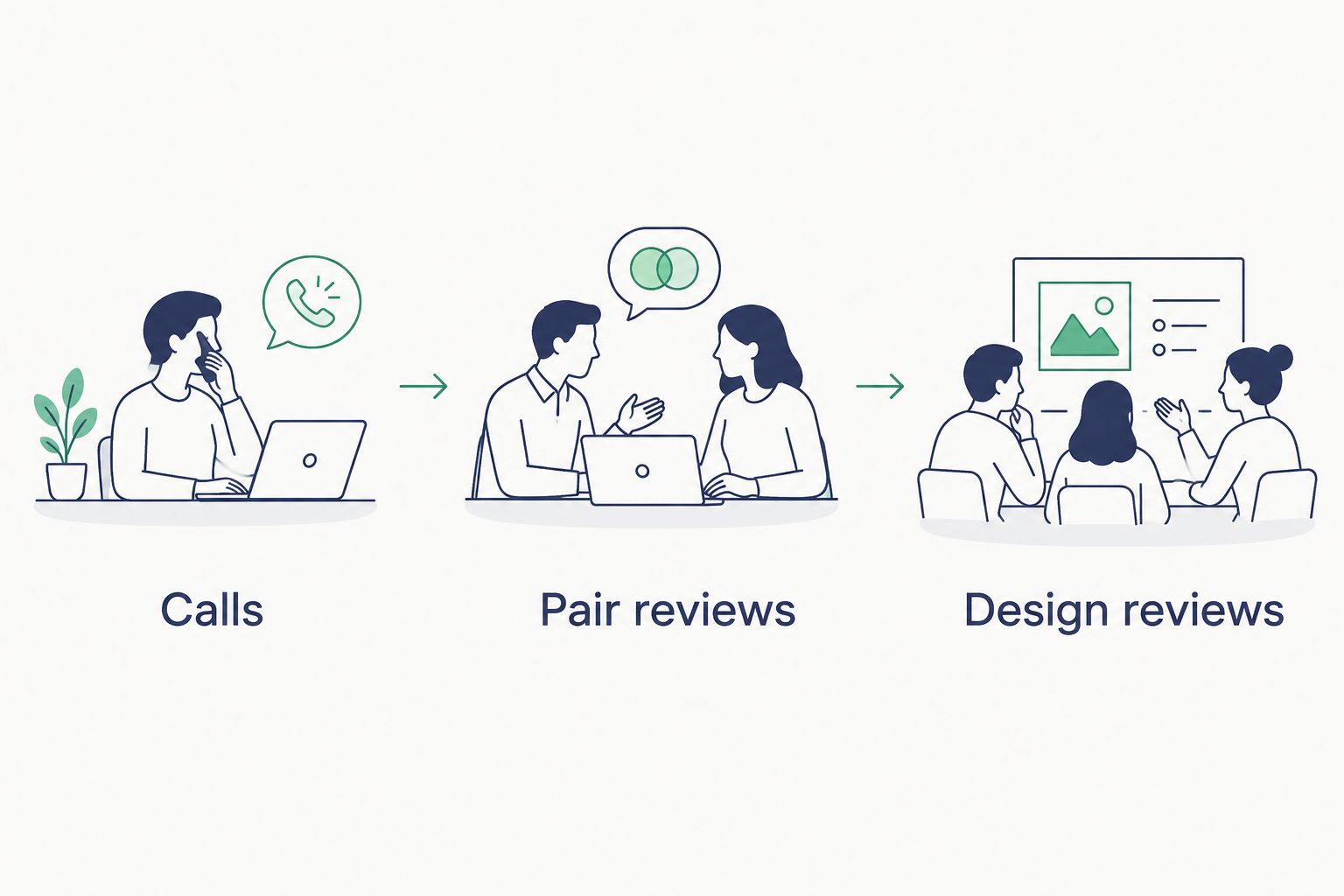
- Separate Calls from document review and quiet individual work.
- Identify Pair reviews that require colleagues to sit together.
- Record Design reviews involving a small group.
- Note whether each task needs a laptop, shared display or paper documents.
- Mark which activities already have a suitable room.
Separate call demand from meeting demand
Use your existing calendar to compare scheduled demand with the task log. Look for overlapping requests, not just the total number of meetings. A single shared space cannot serve separate conversations at the same time.
Count local occupants. A call with several remote participants still needs an individual workspace when only one employee joins from the office. Conversely, a paired engineering discussion needs room for both colleagues even when nobody joins remotely.
Keep individual focus sessions separate from spoken calls in your records. Otherwise, a booth intended for customer or supplier conversations risks becoming a permanently occupied desk while callers continue searching for somewhere to speak.
Also distinguish a recurring requirement from an exceptional event. Plan the pod around the task it will actually serve, while retaining an existing meeting-room route for discussions outside that brief.
- Compare overlapping requests for enclosed space.
- Count people physically present at each activity.
- Separate individual calls from shared technical discussions.
- Record focus work independently from spoken collaboration.
- Identify an existing room for larger or unusual meetings.
Match the product capacity to the task
Once the task list is clear, shortlist the smallest stated capacity that accommodates the intended occupants. Do not select a larger booth simply because it appears more versatile; first establish what the additional places are for.
For individual calls, the Quell Office Pod Solo is described as a 1-person phone booth designed for private calls. Best for: one employee speaking with remote colleagues, suppliers or customers. Its limitation is equally clear: it is an individual-call option, not a shared review space.
For paired discussions, Office Phone Booth Quell - 2 Person is a freestanding acoustic enclosure designed for two people to hold private meetings. Best for: two colleagues reviewing an issue together. It does not cover a four-person discussion.
For a small group, Quell - 4 Person Meeting Booth is described as seating four people. Best for: a defined small-team review. Its stated capacity does not answer a larger team brief.
- Assign each shortlisted product a primary activity.
- Match the stated person capacity to local attendance.
- Retain a larger room for meetings beyond that capacity.
- Avoid treating a solo booth as a shared workspace.
- Compare the intended furniture configuration before choosing.
Define privacy beyond the conversation
Write down what privacy means for each activity before judging the enclosure. Speech, screen visibility and document handling are separate concerns. A conversation-focused product description does not establish how your team should manage everything displayed or discussed inside it.
For a chip-design review, decide who needs to see the material and what appears on the screen. Keep project files in your existing working environment rather than creating a separate practice simply because the discussion moves into a booth.
Use neutral booking titles when the calendar is widely visible. A room name and a task category provide a useful booking record without putting a project codename or customer detail into the calendar entry.
Ask the supplier to explain the acoustic information for the exact model under consideration. Do not turn the word soundproof into a promise that every conversation will be inaudible in every office.
- Define the speech-privacy requirement for each task.
- Consider screen visibility independently of sound reduction.
- Use neutral titles in shared booking calendars.
- Keep document handling consistent with your existing practices.
- Review model-specific acoustic information before deciding.
Trial the actual technical workflow
Use an existing enclosed room to rehearse the activity before writing the final product brief. Bring the people and equipment involved, then record what they need to do. This is a workflow exercise, not a substitute for evaluating the shortlisted booth.
For an individual call, check how the employee uses the laptop, headset and notes. For a paired review, establish whether both colleagues need to read the same display or work independently. For a group discussion, clarify whether the task centres on conversation or detailed visual material.
Then take those requirements to a product demonstration or supplier discussion. Soundbox Store office pods provide different stated person capacities, but capacity alone does not establish the complete configuration for your team’s workflow.
Avoid specifying features from an imagined ideal room. Start with the real task, distinguish essentials from preferences, and ask which configuration addresses the essentials.
- Rehearse the intended call or review using existing equipment.
- Record whether participants share a screen or use separate laptops.
- List the furniture and equipment needed for the task.
- Ask what the selected configuration includes.
- Evaluate the intended activity rather than appearance alone.
Set booking rules and review actual use
Begin with a shared calendar and a short usage policy. A separate software purchase is not a prerequisite. Give each space a clear purpose so employees know whether it serves individual calls, paired reviews or group meetings.
Make the purpose visible in the booking description. An engineering review and a supplier call should not compete under an undefined label such as private space when your office has dedicated options for each.
After use begins, compare bookings with what actually happens. Record unmet requests and cancelled sessions alongside occupancy; a full calendar does not explain whether the right activities are getting access.
Adjust the rules before assuming you need more pods. If individual focus sessions displace scheduled calls, the first decision is how to allocate the space. Additional capacity should answer a documented gap rather than reproduce an unclear booking policy.
- State the primary purpose of each space.
- Use your existing calendar to manage access.
- Release bookings when meetings move or are cancelled.
- Record requests that cannot be accommodated.
- Review whether actual activities match the original brief.
Compare options for chip-design office tasks
Soundbox Store office pods are best for chip-firm buyers matching private calls and small meetings to stated person capacities. The relevant comparison is between tasks and configurations, not a claim that one booth suits every semiconductor office.
Use the table to narrow the brief. Product descriptions establish the intended person capacity and use; confirm the configuration needed for your own workflow separately.
| Option | Best for | Practical advantage | Key limitation |
|---|---|---|---|
| Existing enclosed meeting room | A review already supported by your current room | Lets you assess the workflow before purchasing another enclosure | Its usefulness depends on your actual booking availability and equipment |
| Quell Office Pod Solo | Individual supplier, customer or colleague calls | Designed as a 1-person private-call booth | Does not accommodate a paired review |
| Office Phone Booth Quell - 2 Person | Paired engineering discussions | Designed for two people to hold private meetings | Does not cover a four-person meeting brief |
| Quell - 4 Person Meeting Booth | Small-group technical discussions | Described as seating four people | Does not cover meetings beyond its stated capacity |
The supplied product range also includes Meeting Booth Quell - 6 Person. Treat that 6-person option as a separate brief when your recorded local attendance calls for it, rather than automatically replacing a smaller option with the largest one.
Common mistakes semiconductor teams make when choosing pods
Use these as checks against your brief, rather than assumptions about how your team works. Each mistake replaces a specific workspace question with an easier but less useful shortcut.
- Counting remote participants as occupants. Select capacity around the people physically inside the booth. A large online audience does not turn an individual call into a group-room requirement.
- Specifying a complete design-review room for a calling problem. If the documented gap is individual supplier calls, evaluate that task first. Keep equipment-heavy reviews in the room that already supports them.
- Treating acoustic enclosure as complete information privacy. Address screen visibility, booking titles and document handling separately. None is resolved merely by choosing a product described for private meetings.
- Giving every engineering task the same booking priority. Decide how calls, paired reviews and quiet individual work share the available spaces. An undefined purpose makes access difficult to manage.
- Buying additional capacity before identifying the conflict. Establish whether the problem is simultaneous demand, unsuitable person capacity or booking behaviour. Each requires a different response.
FAQ
What are office pods for semiconductor companies used for?
Office pods for semiconductor companies provide enclosed workspaces for office calls, paired discussions and small meetings. Define the intended activity before selecting a person capacity or configuration.
Which office pod should we consider for individual supplier calls?
Quell Office Pod Solo is a relevant option for individual supplier calls because its description identifies it as a 1-person booth designed for private calls. Evaluate the intended laptop, headset and note-taking workflow before choosing the configuration.
Do we count remote attendees when choosing a meeting booth?
Count the people physically inside the meeting booth when selecting person capacity. Assess remote participation separately through your requirements for audio, video and shared material.
Is a two-person booth enough for a chip-design review?
A two-person booth matches a review with two local occupants when the configuration supports their task. Establish whether both people need to read shared material, use separate laptops or work with documents before choosing.
Does a soundproof booth guarantee complete confidentiality?
Do not treat a soundproof product description as a guarantee of complete confidentiality. Review the model-specific acoustic information and address screen visibility, document handling and booking details separately.
How do we decide whether to add more office pods?
Add office pods when your usage records show an unmet task that the proposed capacity addresses. Compare overlapping requests, actual activities and booking behaviour before extending the original purchase.
One last thing
Record the meeting that could not happen, not just the booth that was occupied. A busy space proves that someone used it; an unmet-request log tells you whether the next purchase needs to serve individual calls, paired engineering reviews or a small group.
Keep that log task-based and neutral. It gives your next workspace decision a clear purpose without collecting the technical substance of the conversations.


