 es/gb
es/gb



















 Guía de productos
Office pod wiring: plug-and-play depends on the model
Office pods are plug-and-play only when the selected model is designed for a plug connection; a hardwired model needs a different connection arrangement. Pre-wired describes the wiring inside the pod, not necessarily how it connects to your office supply. For private calls and hybrid meetings, confirm the pod’s power connection and your equipment’s network needs separately before ordering.
- Do office pods need wiring or are they plug-and-play? The answer depends on the selected model’s connection specification.
- Pre-wired office pods are not automatically plug-connected; confirm how the enclosure receives power.
- Soundbox Store sells acoustic office pods for private workplace calls and meetings; confirm connection details for your chosen model.
- Power, laptop charging and network connectivity are separate requirements in a video-call workspace.
Why this matters
A private-call booth and a shared meeting enclosure serve different working patterns. Neither use case, nor the number of people using the space, establishes its electrical connection type.
These Soundbox Store office pods illustrate that distinction: choose the working format first, then confirm the connection specification for that exact model.
| Product | Best for | Stated purpose | Benefit for that use | Limitation to consider |
|---|---|---|---|---|
| Office Phone Booth Folio | Individual calls and video meetings | A 1-person booth for private calls, Zoom meetings and focus | Matches an individual private-workspace brief | Its stated use is individual work, not a shared meeting |
| Office Phone Booth Quell - 2 Person | Private conversations between colleagues | A 2-person freestanding acoustic enclosure for private meetings | Matches a face-to-face meeting brief | Person capacity does not establish its power or data connection |
Do office pods need wiring or are they plug-and-play?
The deciding detail is the connection to the building supply, not the phrase used to describe the pod. A model designed to receive power through a plug has a plug-connected arrangement. A model specified for a fixed electrical connection has a hardwired arrangement.
Treat those as distinct options. Do not interpret a photograph of an internal socket, a lighting feature or a description of integrated electrics as confirmation of the external connection.
Use this comparison when reading a product specification or discussing a quotation:
| Description | What it establishes | What you still need to confirm |
|---|---|---|
| Plug-connected | Power enters through a specified plug connection | The exact connection details for the selected configuration |
| Hardwired | The model uses a fixed electrical connection | The manufacturer’s specified connection arrangement and project scope |
| Pre-wired | Wiring is already incorporated within the product | Whether the external supply connection is plug-connected or hardwired |
| Plug-and-play | A claim about readiness for use | Which functions the claim covers and what remains outside the supplied package |
A plug-connected arrangement makes the supply connection easier to describe in a purchasing brief. Its limitation is that it says nothing by itself about assembly, internet access or meeting equipment. A hardwired arrangement gives you a defined fixed connection, but it introduces a separate connection scope to resolve with the supplier and your facilities team.
For either option, request model-specific wording. A general statement about a range is not a substitute for confirmation of the configuration on your order.
Separate power from meeting readiness
An office pod’s electrical connection answers how the enclosure receives power. It does not answer whether your laptop connects to the office network, whether a meeting display is included or whether your preferred charging connection is present.
Keep those questions separate. Otherwise, a purchase described as ready to use can arrive with a different scope from the workspace your team expected.
Pod power
Ask which functions are included in the selected pod and how those functions receive power. Request a clear distinction between equipment supplied with the enclosure and equipment you intend to add.
Do not turn a possible feature into an assumed inclusion. Lighting, powered ventilation and internal sockets belong in the enquiry as questions unless the selected product’s specification confirms them.
Device charging
Write down what users will bring into the booth: a laptop, a phone or other work equipment. Then ask which charging connections, if any, are included in the selected configuration.
A reference to USB does not establish every charging capability. Confirm the connection type and the manufacturer’s stated function rather than assuming it replaces the charger supplied with your device.
Network access
Electricity and internet connectivity perform different jobs. A powered laptop still needs a network connection for an online call, and a network socket inside an enclosure still needs a defined connection to the office network.
Ask your IT team whether the intended workflow uses Wi-Fi or a wired network connection. Give the supplier that requirement without assuming the pod includes the corresponding hardware.
Meeting equipment
A laptop-led call and a shared-room video meeting have different equipment briefs. State whether users bring their own devices or expect equipment to remain in the pod.
Keep cameras, microphones, displays and conferencing controls on the equipment list until their inclusion is confirmed. The enclosure’s power connection does not define the meeting system.
Why office pod connection requirements vary
Connection requirements vary with the selected product and the workspace you want to create. Resolve the following factors in your purchasing brief rather than treating plug-and-play as a complete specification:
- Exact model and configuration: Ask about the product you are ordering, not another booth in the same range. Carry the same model name through the enquiry and order documents.
- Included powered functions: Establish which functions come with the enclosure. Distinguish those from equipment proposed for the workspace.
- User equipment: Identify what colleagues bring with them and what stays in the pod. That distinction defines your charging and connectivity questions.
- Network approach: State whether the workspace uses Wi-Fi or a wired connection. Power provision does not resolve this choice.
- Workplace location: Give your facilities and IT teams the proposed location so they can review the connection brief against the actual office.
- Supplier scope: Confirm which parts of the working setup the supplier provides. Keep supply connection, assembly and equipment configuration as separate items in the discussion.
These factors do not justify guessing electrical figures from pod size. Use the selected model’s specification, not its person capacity, to establish connection requirements.
Prepare a connection brief before ordering
A useful brief describes the intended work and asks for a precise response. It is a procurement document, not a set of wiring instructions.
Start with the work
Describe the activity in plain language: individual customer calls, laptop-based video meetings or private conversations between colleagues. Name the equipment that supports that activity.
This prevents the supplier from answering a narrow question about the enclosure when you need an answer about a usable workspace. An individual call booth does not automatically include the same equipment brief as a shared meeting enclosure.
Identify the model
Record the full product name and selected configuration. Include any options under discussion so the response relates to the intended purchase.
Avoid referring only to a photograph or a generic office pod. A clear product reference makes it easier to keep the specification, supplier response and order aligned.
Request the connection details
Ask the supplier to state whether the model is plug-connected or hardwired. Request the relevant product documentation and a description of what is supplied for that connection.
Keep the question factual. Do not ask for a general assurance that the product is easy to use when you need a description of its actual connection arrangement.
Assign the equipment decisions
Give facilities responsibility for reviewing the building-side connection brief and IT responsibility for reviewing the network and meeting-equipment brief. Ask the supplier to identify the product-side requirements.
The purpose is clear ownership, not assumptions about who performs particular work. Record the agreed responsibilities before treating the pod as ready for the intended workflow.
Record the exclusions
Ask what remains outside the supplied package. Capture any separately specified equipment, network provision and configuration work in the same brief.
An exclusion is useful information. It lets you distinguish the enclosure purchase from the complete private-call or meeting workspace you want to provide.
Read plug-and-play wording carefully
Plug-and-play is useful only when its scope is clear. For an office pod, ask whether the phrase describes the external power connection, the supplied internal equipment or the complete workplace setup.
The strongest answer names the connection and the included functions. A broad statement that the pod is ready to use leaves too much room for different interpretations.
Look for a response that addresses these points:
- The exact model and configuration covered.
- How the pod receives power.
- Which powered functions are supplied.
- Which device connections are supplied.
- Whether data connectivity is included or separately arranged.
- What the buyer needs to provide for the intended use.
Keep the response with your order documentation. When colleagues ask whether the booth is ready for calls, you can answer from an agreed specification rather than a sales phrase.
Pre-wired and plug-and-play are not interchangeable. Wiring incorporated within an enclosure does not, by itself, identify its external connection or establish that your video-call equipment is configured.
Match the connection enquiry to the job
For an individual call booth, describe a colleague entering with a laptop and headset to join an online meeting. Ask about the pod connection, device charging and network approach as separate requirements.
For a shared meeting enclosure, describe the intended conversation and whether participants use personal devices or shared equipment. The brief becomes more useful when it names the working pattern rather than simply requesting a larger pod.
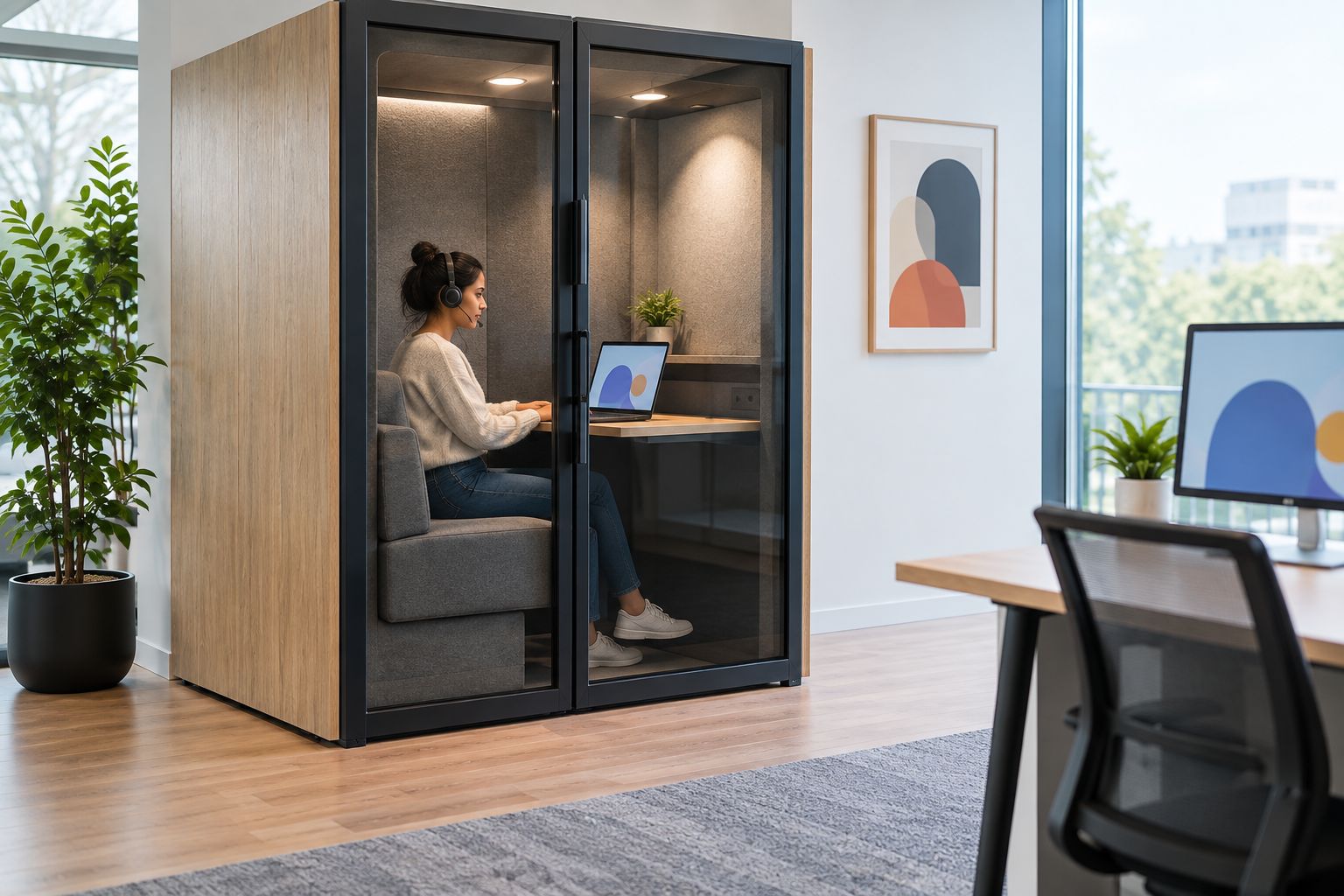
Soundbox Store is best for businesses seeking acoustic office pods for private calls and workplace meetings. The product’s stated use helps you choose a working format; the selected model’s connection documentation answers the wiring question.
For Soundbox Store office pods, keep the enquiry tied to the named product. Confirm the electrical and connectivity details for that configuration rather than transferring assumptions from another model.
Keep the answer useful for facilities and IT
Your team needs more than a yes-or-no answer to whether an office pod is plug-and-play. Facilities needs a clear product connection brief, while IT needs to understand the network and equipment expectations.
Give both teams the same description of the intended work. Separate their questions so an answer about power is not mistaken for an answer about internet access.
For a laptop-led workspace, identify what the user brings and what the pod supplies. For a shared meeting setup, identify which equipment remains in the enclosure and who manages it.
Finish with one agreed statement of scope. It should describe the selected product, its connection arrangement, the included equipment and the buyer-provided elements without relying on the word ready.
FAQ
Does plug-and-play mean an office pod has no wiring?
No. Plug-and-play does not mean an office pod contains no wiring; it describes a claim about connection or readiness for use. Confirm the external power connection and which functions the claim covers.
Is a pre-wired office pod the same as a plug-connected pod?
No. Pre-wired describes wiring incorporated within the product, while plug-connected describes how it receives power. Ask for both details for the selected model.
Does a plug-connected office pod automatically have internet access?
No. A power connection does not provide internet access. Confirm whether your intended call setup uses Wi-Fi or a separately specified wired network connection.
Can I tell the electrical requirements from the pod’s person capacity?
No. Person capacity describes the intended occupancy, not the electrical connection specification. Use the documentation for the exact model and configuration.
Does plug-and-play mean my video meeting equipment is included?
No. Plug-and-play wording does not establish that cameras, microphones, displays or conferencing controls are included. Ask the supplier to distinguish supplied equipment from equipment you provide.
What should I ask before ordering an office pod for private calls?
Ask for the selected model’s power connection, included device connections and supplied equipment. Give facilities and IT the same call-workflow brief so power and network requirements are reviewed separately.
One last thing
Ask the supplier to describe the connection without using plug-and-play. That request turns a broad label into a practical answer: how the model receives power, what it includes and what your office provides.
When discussing a Soundbox Store product, attach that answer to the exact model in your enquiry. A defined connection scope is more useful than a general promise of readiness.


