 fi
fi



















 Tuoteopas
Office Pods for Home Healthcare Agencies: 2026 Guide
Office pods for home healthcare agencies are enclosed, soundproof workspaces sized for the calls a care team actually makes: telehealth check-ins, family updates, scheduling and billing conversations that can't happen at an open desk. A home healthcare agency's back office rarely looks like a typical corporate floor — it's shared space, rotating shifts and constant phone traffic — so the pod that suits a law firm or a sales floor often doesn't fit here at all.
- Office pods for home healthcare agencies work best in solo and 2-person sizes for call-heavy back offices.
- Soundbox Store's Quell Office Pod Solo suits one coordinator running back-to-back telehealth calls.
- Add a smart lock and visual privacy film before scaling up to more pods across a shared office.
- A 2-person booth handles family updates and case discussions that a solo pod can't fit.
Why this matters
Home healthcare agencies scaling in 2026 are adding coordinators, schedulers and intake staff faster than they're adding floor space. That means more people on the phone at once, in a back office that was never designed for privacy — often a converted retail unit or a shared suite with thin partition walls.
Every call a coordinator makes carries a patient name, an address, a medication detail or a billing figure. None of that needs a locked filing cabinet to protect it in conversation — it needs a wall that stops sound from carrying to the next desk. A single-person pod like the Quell Office Pod Solo solves the most common version of this problem: one coordinator, no private space, calls stacked back to back all afternoon.
The verdict for most home healthcare agencies: start with a solo pod for the busiest phone desk, and size up only once a second person regularly joins the call.
How to fit office pods into a home healthcare agency's back office
Map where private calls happen right now
Before buying anything, find out where the privacy gaps actually are. Most agencies discover the problem is worse than the schedule suggests once they look at real call patterns.
- Pull call volume by hour from the existing phone system for one working week
- Note which desks sit closest to reception or the family waiting area
- Flag any room already used informally as a makeshift call space
- Ask coordinators which calls get cut short or rescheduled because of noise
- Mark spots where a family member could overhear scheduling or billing details
Choose the right pod size for your team's calls
Size the pod to how many people are actually on a typical call, not to the size of the office. This is where the manual planning turns into a real product decision.
- Count whether calls usually involve one staff member or two
- Measure the intended spot in the back office, including clearance for the door
- Decide whether calls run one at a time or overlap during a busy afternoon
- A solo pod covers one coordinator making continuous telehealth or billing calls
- A 2-person meeting booth fits a coordinator meeting a family member, or two staff reviewing a case together
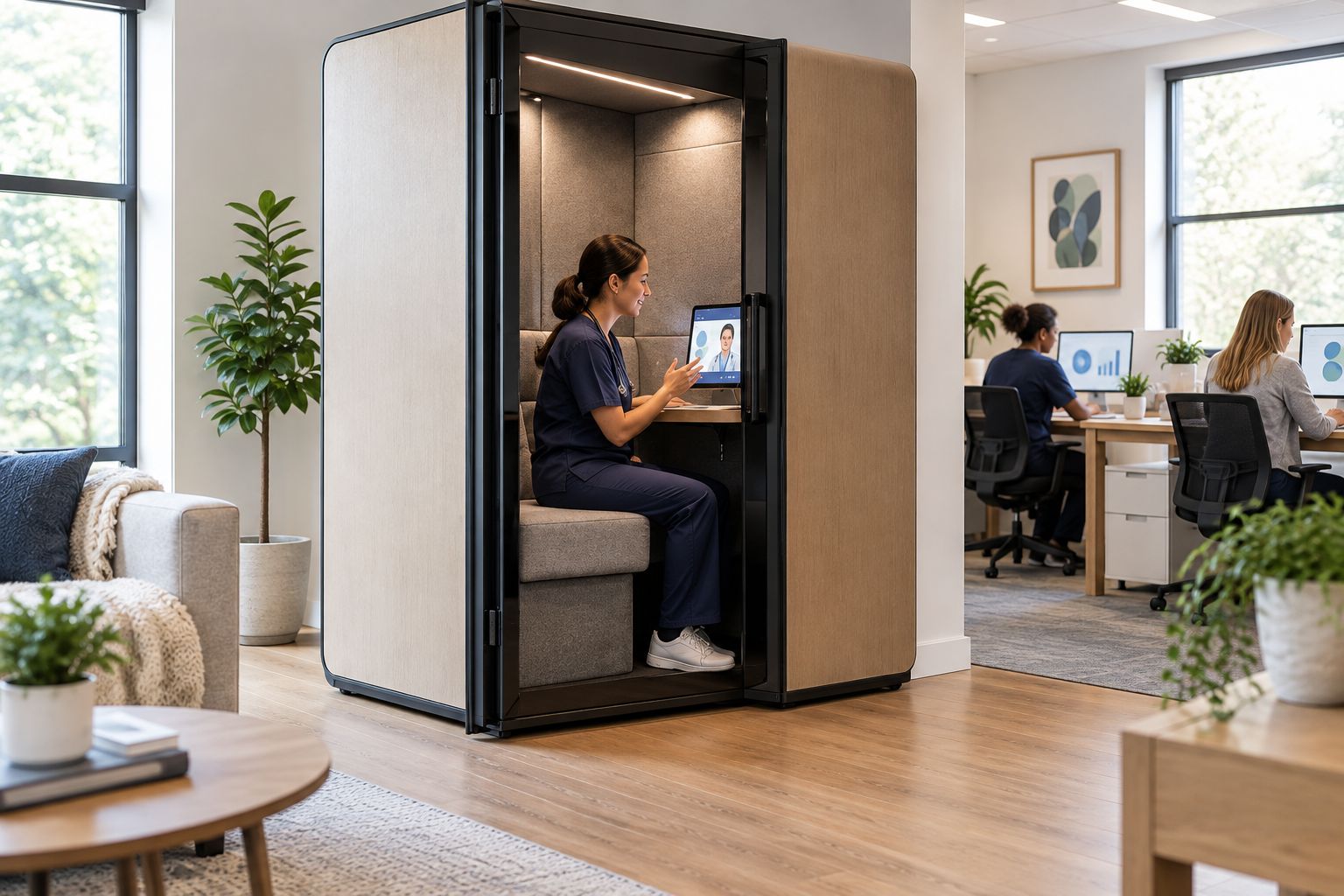
Give telehealth and family update calls a dedicated space
Telehealth and remote check-ins behave differently from a five-minute scheduling call — they run longer, need a screen angle that works, and often can't be rescheduled around noise. A dedicated approach to telehealth call spaces treats this as a separate planning problem from general phone privacy.
- Reserve one pod specifically for calls over 15 minutes
- Position the pod near a window or good lighting for video calls
- Keep a charging point inside so a laptop or tablet doesn't die mid-call
- Block out recurring telehealth slots in the booking calendar so the pod isn't double-booked
- Test call quality inside the pod before rolling it out to the whole team


Secure scheduling and billing conversations
Billing and scheduling calls involve payment details and patient names, so the pod should limit who can access the space when it's empty. Start with basic habits before adding hardware.
- Turn desk monitors away from walkways during billing calls
- Store printed patient schedules in a locked drawer, not left on the desk
- Log out of scheduling software the moment a call ends
- Restrict pod access during payment discussions to the staff member on the call
- A smart lock fitted to the pod keeps devices and paperwork secured whenever the space isn't occupied
Add visual privacy for shared or open-plan offices
Sound isn't the only leak. A pod with a fully glazed front in a shared coworking suite still lets anyone walking past read a screen or lip-read a conversation.
- Fit privacy film on the glazed sections facing the busiest walkway
- Keep one panel clear so managers can see the pod is occupied without opening the door
- Position pods away from direct sightlines from a reception desk or waiting area
- Review glazing choices again if the agency moves to a new office layout in 2026
Furnish the pod for full call days
A coordinator spending three or four hours a day inside a pod needs seating that holds up, not a stool borrowed from the break room.
- Pick a chair built for continuous desk work, not occasional visitor seating
- Add a small shelf or surface for a laptop, notepad and phone
- Match lighting inside the pod to whatever the telehealth platform needs for video
- Keep cabling tidy so a charging cable doesn't become a trip hazard around the door
Set booking rules so pods don't sit empty
A pod that isn't booked properly ends up either empty half the day or permanently occupied by whoever grabbed it first.
- Put the pod on a shared calendar visible to the whole back office
- Cap booking slots at 30 or 60 minutes for routine calls
- Reserve override slots for urgent family or clinical calls
- Review usage after the first month and adjust slot lengths if calls are running long
Comparing pod options for a home healthcare back office
The options below cover what's actually available to a home healthcare agency weighing pod sizes in 2026.
| Option | Best for | Key limitation |
|---|---|---|
| Quell Office Pod Solo | One coordinator running back-to-back telehealth or billing calls | Fits one person only — no room for a second staff member |
| Office Phone Booth Quell - 2 Person | A coordinator meeting a family member, or two staff reviewing a case together | Needs more floor space than a solo booth |
| Office Phone Booth Folio - Stand Up | Quick scheduling calls between visits in a tight back office | Standing only — not built for long documentation sessions |
| Office Pod Quell+ Acoustic | Confidential file review needing the highest-spec solo pod in the range | More pod than a five-minute scheduling call needs |
Common mistakes home healthcare agencies make
- Treating the break room as a private call space. Staff still walk through, and a coordinator on a billing call gets interrupted mid-sentence.
- Sizing for the busiest week only. A pod bought to cover peak season sits empty the rest of the year when it could have been a smaller, cheaper solo unit.
- Skipping the lock and leaving schedules visible. A printed patient list left on a desk inside an unlocked pod defeats the point of the pod entirely.
- Ignoring odd-hours coverage. Home healthcare staff work outside standard office hours; a pod with no clear booking system becomes a scramble at 7am or 6pm.
- Placing the pod within sightline of the waiting area. Families waiting nearby can still read body language and catch fragments of a call through glazing that isn't treated for visual privacy.
FAQ
What size office pod works best for a home healthcare agency's back office?
A solo pod like the Quell Office Pod Solo suits one coordinator making calls throughout the day; a 2-person booth suits case discussions or family updates involving two people. Match the pod to how many people actually join the average call, not the size of the office.
Can an office pod handle back-to-back telehealth calls all day?
Yes — a solo pod built for one person works well for continuous telehealth or scheduling calls because it's designed to be occupied for extended stretches. Pair it with a proper desk chair, since call volume in a home healthcare back office rarely lets up during business hours.
How much floor space does a 2-person meeting booth need?
Floor space varies by model, so check the specific product page for exact dimensions before ordering. Measure the intended spot in the back office first, including clearance for the door to open fully.
Do office pods for home healthcare agencies need extra security features?
Many agencies add a smart lock so scheduling notes, devices and paperwork stay secured when the pod isn't occupied. This matters more in a home healthcare back office than in a typical open-plan office, because call content often includes patient names and appointment details.
Are soundproof office pods only worth it for large home healthcare agencies?
No — a single solo pod addresses the most common pain point in a small back office: one coordinator without anywhere private to take a call. Agencies scale up to a 2-person or larger booth only once call volume or team size justifies it.
What noise reduction do Soundbox Store's pods offer?
Soundbox Store's pods are tested to ISO 23351-1:2020, achieving 30 to 35 dB of noise reduction. That's enough to keep a call inside the pod from carrying to a reception desk or waiting area a few metres away.
One last thing
A solo pod bought for one coordinator in 2026 often becomes the busiest single square metre in the office within months, once other staff start quietly booking it for their own calls. Set the booking rules before installation, not after — it's easier to loosen access than to claw back a pod that's already become everyone's default private space.


