 fr


 Guide produit
Is it comfortable to work in an office pod all day?
Working in an office pod all day is not automatically comfortable: the seating, work surface, lighting and enclosed setting must suit your actual work. A booth designed for private calls is not automatically a replacement for your everyday desk. Choose a pod for the tasks you need to complete, then judge comfort with your normal equipment—not from the quietness alone.
- Working in an office pod all day requires a suitable workstation, not just acoustic privacy.
- Soundbox Store’s Quell Office Pod Solo is designed for private calls; that purpose does not establish all-day comfort.
- Check seating, work surface, lighting and room feel together before choosing an acoustic workspace.
- Keep shared phone booths available for calls rather than treating every booth as an assigned desk.
Is it comfortable to work in an office pod all day?
An office pod is comfortable for a full working day only if the complete setup works for you. Separate its stated purpose from the way you intend to use it: a private-call booth, a meeting booth and an individual workstation answer different needs.
| Workspace | Best for | Practical advantage | Limitation for all-day work |
|---|---|---|---|
| Quell Office Pod Solo | Individual private calls | Described as a 1-person soundproof phone booth | Its private-call purpose does not establish suitability as your permanent workstation |
| Office Phone Booth Folio | Individual calls, video meetings and focused work | Its description explicitly includes calls, Zoom meetings and focus | You still need to assess the furniture and equipment arrangement for your working day |
| Your everyday desk | Work requiring your established desk setup | Provides a useful baseline for comparing your normal working arrangement | An open desk does not provide the enclosed setting of a booth |
Soundbox Store acoustic office pods suit businesses seeking private spaces for calls, meetings and focused work. Whether a particular pod should become your everyday workstation is a separate decision.
Why this matters
Quietness and workstation comfort answer different questions. You might welcome fewer distractions yet still dislike the chair, struggle to organise your equipment or prefer a more open setting when working alone.
For a workplace manager, the decision also affects how the space is shared. Reserving a phone booth for one person's entire day removes that booth from the pool available for private calls. Decide whether you are providing an individual workstation or a shared acoustic resource before choosing the furniture and booking rules.
The useful question is not simply whether you like being inside the pod. Ask whether you can complete your normal work there without giving up the equipment, working arrangement or access to colleagues that the task requires.
Private-call booths: start with the stated purpose
A phone booth answers a specific need: somewhere to take a call away from the open office. That does not make it unsuitable for every other activity, but it does mean you should assess longer work separately rather than assuming the same setup covers everything.
For example, the Quell Office Pod Solo is described as a 1-person phone booth designed for private calls. That is a clear reason to consider it for individual conversations. It is not evidence that every user will find its particular furniture arrangement comfortable throughout the day.
Best for: individual private calls. If your main requirement is continuous document work, compare the complete workspace against your desk before choosing a call-focused enclosure. Do not let the product category make that decision for you.
Bring the equipment you actually use when assessing the space. A laptop-only call and a task involving a separate keyboard, mouse and reference papers are different working arrangements, even when the same person performs both.
Focus work: assess the furniture, not just the enclosure
The Office Phone Booth Folio description includes private calls, Zoom meetings and focused work. That makes focus work an explicit use case, but the phrase does not describe your preferred seating or establish how your equipment will fit together.
Start with the work surface. Check whether your laptop, keyboard, mouse and any documents can occupy useful positions at the same time. An arrangement that works with the laptop closed during a phone call does not necessarily work when you need to type and consult a document together.
Next, consider the seat and work surface as a pair. Sit as you normally would and work through a familiar task. Notice whether you keep moving the equipment to make room, rather than assuming a tidy product photograph represents your own working arrangement.
Best for: individual work that benefits from an enclosed setting. Keep the recommendation conditional on the complete setup. A focus-work description is a reason to investigate the booth, not a promise that it replaces every desk.
Meeting booths: more seats answer a different question
A 2-person meeting booth provides a setting for a conversation between colleagues. A 4-person meeting booth serves a different group size. Those occupancy descriptions tell you who the space is intended to accommodate; they do not establish how well it works as an individual workstation.
Do not choose a larger meeting booth solely because it sounds more comfortable for one person. Look at the furniture arrangement and the work you need to do. A layout intended for conversation should be assessed differently from one intended for individual typing and document work.
Best for: face-to-face collaboration at the stated occupancy. The advantage is a dedicated meeting setting; the trade-off is that occupying it alone makes that meeting space unavailable to a group.
If you need both private calls and group discussions, write those requirements separately. Combining them into a vague request for a comfortable pod makes it harder to decide which configuration actually serves the working day.
Why all-day office-pod comfort varies
Comfort is personal, but your decision does not have to be vague. Use these factors to identify what works and what needs changing:
- Task fit: distinguish speaking, typing, reading and collaborative work. Assess each activity you expect to do inside the pod.
- Furniture fit: consider the seat and work surface together. Judge the arrangement with your own working equipment in place.
- Room feel: notice whether you like the enclosed setting, the lighting and the perceived temperature during ordinary use.
- Equipment fit: check the practical arrangement of your screen, input devices, headset and reference materials without assuming accessories are included.
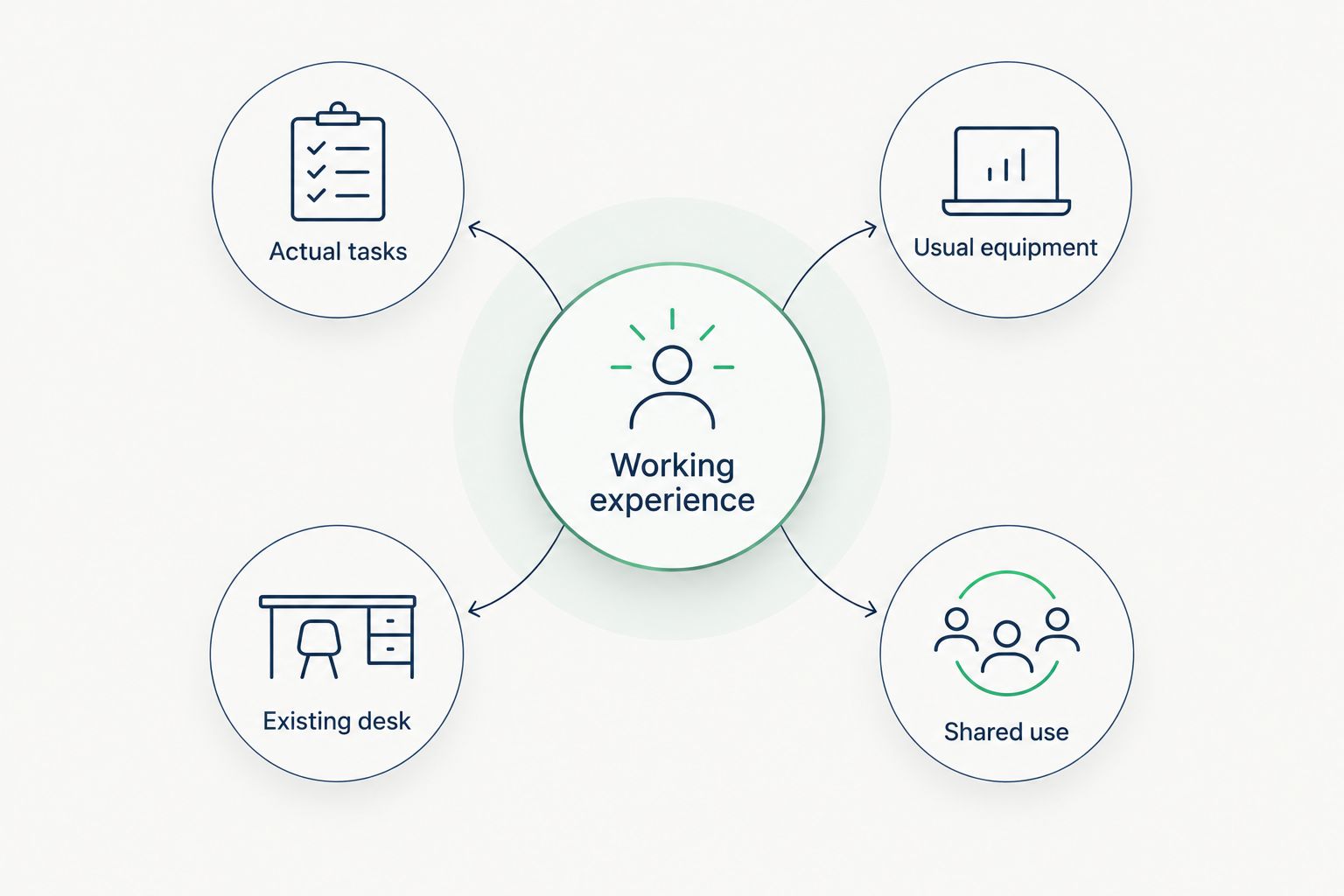
- Shared use: decide whether the pod is your allocated workspace or a bookable space other people need throughout the day.
A good result on one factor does not settle the others. Acoustic privacy does not answer the furniture question, and a larger enclosure does not tell you whether the work surface suits your equipment.
Assess the complete working arrangement, not a single attractive feature. That keeps the decision tied to how you work rather than the name or size of the enclosure.
How to judge a pod against your normal working day
Use a familiar piece of work rather than simply sitting inside and looking around. The aim is to compare the pod with a working arrangement you already understand—not to create an artificial test or assign a universal comfort score.
Start with your actual tasks
Write down what a normal working day involves. Separate calls from screen work, document review and conversations with colleagues. Include activities that require equipment you do not carry around casually.
This task list exposes mismatches early. If most of your work involves reference papers and a separate keyboard, assess that arrangement rather than judging the pod through a laptop-only video call.
Bring your usual equipment
Use the laptop, headset and input devices you normally work with. Where your work depends on a separate screen or other equipment, confirm the proposed arrangement rather than assuming it will be accommodated.
Look at the combined setup. Equipment that fits individually still needs to be usable together, without repeatedly moving one item out of the way to reach another.
Notice the working experience
Complete a familiar task and note what interrupts it. Are you rearranging papers? Is the screen easy to read in that lighting? Do you like the enclosed setting while working silently as well as during a call?
Treat these observations as requirements for the configuration you choose. They are more useful than a general impression that the pod feels pleasant when you first enter.
Compare with your existing desk
Ask what you gain and what you give up. Privacy might be the gain; access to your established equipment or easy conversation with a colleague might be the trade-off.
Keep the desk as your baseline. Choose the pod for the work it supports well, rather than assuming every activity must move inside it.
Plan the day around tasks rather than the enclosure
Working in an office pod all day does not need to mean completing every activity inside the same space. You can use an enclosed workspace for a call or focused task and return to your desk for work that needs its established arrangement.
For an individual, this means choosing the setting deliberately. If a task needs privacy, use the private space. If it needs materials, equipment or collaboration that work better elsewhere, do not force it into the pod simply because you started the day there.
For a manager, make the intended use explicit. An assigned workspace and a shared phone booth need different expectations. Staff should know whether a long booking is part of the plan or prevents others from using a shared resource.
Avoid treating a full-day booking as proof of success. The useful outcome is that people have a suitable place for the work they need to complete, with access to private space when required.
Make a clear decision before choosing a configuration
Choose a call-focused booth when individual conversations are the main requirement. Assess a focus-work setup when sustained individual tasks are central. Keep meeting capacity separate from both decisions.
Soundbox Store sells acoustic office pods and meeting booths for these different workplace uses. Compare the stated purpose of each configuration, then check how its furniture and your equipment work together. Do not transfer a feature or description from one model to another.
Before committing, describe the intended use in plain language: private calls, individual document work or small-group discussions. Add the equipment and furniture arrangement you expect to use. That creates a clearer purchasing brief than simply asking for an all-day pod.
If the setup does not work for your normal task, choose a different configuration or keep that task at your desk. More time inside an enclosure does not correct a mismatch between the workspace and the work.
FAQ
Can I use an office phone booth as my permanent desk?
Do not assume a phone booth replaces your permanent desk. Assess its complete furniture and equipment arrangement against your everyday work, rather than relying on its private-call purpose.
What should I check before working in an office pod all day?
Check task fit, furniture, equipment, lighting, room feel and shared-use expectations. Use a familiar piece of work and your usual equipment to judge the complete arrangement.
Does a larger meeting pod make a better individual workspace?
A larger meeting pod is not automatically a better individual workspace. Meeting capacity describes the intended group size, not whether the furniture suits your individual screen and document work.
Does acoustic privacy guarantee that a pod will feel comfortable?
Acoustic privacy does not guarantee personal comfort. You still need to assess the seating, work surface, lighting and enclosed setting for the tasks you intend to complete.
Should a shared phone booth be booked for the whole day?
A whole-day booking should match the workplace's intended use for the booth. If it is a shared call space, that booking removes it from use by colleagues who need private conversations.
Which Soundbox Store booth is described for calls and focused work?
The Office Phone Booth Folio is described for individual private calls, Zoom meetings and focused work. Assess the proposed furniture and equipment arrangement separately before treating it as an everyday workstation.
One last thing
Assess the quiet task as well as the noisy one. It is easy to judge a phone booth through a successful call, but all-day work also includes silent reading, typing and reviewing documents. Try the task you expect to spend most of your time doing; that is the clearest basis for deciding whether the workspace suits you.


