 it/gb
it/gb



















 Guida ai prodotti
Office pods for fleet management offices: complete guide
Fleet management office pods are enclosed acoustic workspaces for driver calls, dispatch discussions and fleet administration, with the aim of separating conversations from shared office activity. Choosing office pods for fleet management offices starts with a practical distinction: which tasks need privacy, and which need immediate contact with the dispatch team?
- Choose office pods for fleet management offices by task: driver calls, private discussions or focused administration.
- Soundbox Store office pods suit fleet teams seeking enclosed spaces for calls and small meetings.
- Keep live dispatch coordination at shared desks; move conversations that do not need constant team contact into pods.
- Match the enclosure to the people attending, then check equipment needs and booking demand.
Why office pods matter for fleet management offices
A pod should separate a task, not disconnect your operation. Start by identifying conversations that compete with dispatch activity: a driver discussing a personal matter, a manager reviewing a supplier proposal, or an administrator joining a remote meeting. These are different from a dispatcher who needs frequent exchanges with nearby colleagues.
Your first decision is therefore operational rather than architectural. Decide what belongs at the shared desk, what needs an enclosed space, and what already works in an existing meeting room. A pod is an additional workspace, not a reason to move every telephone conversation behind a door.
Count simultaneous demand before choosing quantity. The guide to calculating how many pods your office floor needs is a useful companion to the task-led process below.
The distinction matters most when several activities compete for the same enclosure. A private driver discussion, a supplier call and uninterrupted fleet reporting each need a different booking rule, even if they use the same pod.
How to choose and use pods in a fleet office
Identify the conversations that need separation
Use a shared spreadsheet or paper log before preparing a product shortlist. Record the purpose of each conversation, its participants, whether it was planned, and why the current setting did not work. You need a description of the problem, not recordings or sensitive conversation details.
Separate speech privacy from concentration. A driver discussion needs a place to talk away from shared desks; a vehicle-cost review needs a place to work without nearby conversations. Treat these as separate needs so a call-heavy schedule does not consume every space intended for focused administration.
Include different working patterns in your observations. Do not base the decision solely on a quiet period when managers are present but driver contact is limited. Ask colleagues who handle dispatch, maintenance coordination and fleet records to contribute their task lists.
Close this stage with a short, agreed brief:
- List driver calls that need separation from shared desks.
- Identify manager–driver discussions requiring an enclosed setting.
- Record supplier and maintenance-provider meeting needs.
- Separate focused reporting from telephone work.
- Mark tasks that depend on immediate dispatch-team contact.
Test the workflow with your existing rooms
Try the proposed division of work using an existing enclosed room and your current calendar. This manual trial establishes whether the task is suitable for a separate space before you choose a pod. It also exposes booking conflicts without making the enclosure itself the focus.
Check what happens when someone leaves the dispatch desk. Agree who remains responsible for incoming work, how a colleague requests assistance, and when the person returns to the shared workspace. Keep the process simple enough to use during a busy handover.
Test both scheduled and unscheduled conversations. A room that works for a planned supplier review does not automatically work for a driver callback that needs to happen promptly. Note where the arrangement fails: unavailable space, unclear ownership, missing equipment or a task that should remain at the desk.
Use the trial to answer concrete questions:
- Assign desk cover before moving a conversation elsewhere.
- Reserve existing rooms for the proposed pod tasks.
- Record occasions when someone cannot find a space.
- Check whether essential work information remains accessible.
- Ask users which tasks belong back at shared desks.
Match the pod to the people and the task
Start with the attendance pattern from your log, not the largest meeting you can imagine. A remote conversation with several participants elsewhere still needs a solo enclosure if only one colleague attends from your office. Count the people physically using the space.
For manager–driver conversations involving 2 people in the office, Soundbox Store offers the Office Phone Booth Quell - 2 Person, described as a freestanding acoustic enclosure for private meetings. Its practical limitation is equally clear: a two-person format does not cover discussions with additional in-person attendees.
For individual calls, shortlist a one-person phone booth rather than using meeting capacity as a substitute for demand planning. Multiple solo calls at the same time require separate spaces; a larger meeting enclosure does not create independent call spaces inside it.
Soundbox Store office pods are best suited to fleet teams seeking enclosed spaces for individual calls and small meetings. Keep the shortlist tied to those tasks rather than treating a pod as a replacement for the whole dispatch office.
- Count in-person attendees separately from remote participants.
- Match solo calls to a one-person enclosure.
- Match manager–driver meetings to a two-person format.
- Retain another room for meetings beyond the chosen format.
- Check simultaneous bookings before deciding pod quantity.
Check the call and reporting setup
Write down the equipment your colleagues already use before specifying anything new. Include the laptop, headset, telephone application and fleet information needed for the task. Then check the proposed enclosure against that workflow using the current product information and a demonstration where offered.
Do not assume that every pod includes furniture, a display, data connectivity or a particular power arrangement. Confirm the chosen configuration with the supplier. Keep this separate from choosing the enclosure: the task must work with the equipment you intend to use.
For a driver callback, test the complete sequence from finding a space to opening the relevant record and making the call. For a remote meeting, check the camera view and audio using your normal application. A quiet space is useful only if colleagues can complete the work there.
Make the equipment brief specific:
- List the devices needed for each approved task.
- Confirm what the selected product configuration includes.
- Test the normal headset and calling application.
- Check that users can access the required fleet records.
- Keep customer and driver information out of visible backgrounds.
Define access without isolating dispatch
Use an ordinary shared calendar before considering a separate booking system. Name reservations by task type rather than by sensitive details: driver discussion, supplier call or fleet reporting. Give colleagues enough information to understand occupancy without exposing the conversation's subject.
Define which spaces accept spontaneous calls and which require booking. If every enclosure is reservable for extended administration, an unscheduled driver discussion has no clear destination. Equally, if every space is treated as a walk-in phone booth, focused reporting has no dependable slot.
Keep responsibility visible. A pod user should not become the only person holding information that the remaining dispatch team needs. Agree how work is handed over before the user leaves the desk and how colleagues contact them when a task requires input.
Set a small number of operating rules:
- Use neutral reservation titles that describe the task.
- Distinguish bookable sessions from spontaneous calls.
- State who covers the user's shared-desk responsibilities.
- Agree a contact method for time-sensitive questions.
- Release reservations when the task finishes early.
Measure whether the arrangement solves the problem
Start with your spreadsheet and calendar records. Compare the tasks you identified with the tasks actually completed in the enclosure. A full booking calendar is not enough: it does not show whether driver calls, private discussions or reporting work gained useful access.
Track occupancy in minutes and unmet demand as separate entries. Add a reason whenever someone cannot use the space: occupied, unsuitable for the group, missing equipment or needed too far from the shared workflow. These categories tell you whether to change booking rules, equipment or the mix of enclosures.
Ask users about the task, not just whether they like the pod. Find out whether they finished the conversation, returned to the desk with clear responsibilities and avoided interrupting nearby work. Do not turn those responses into financial savings without your own evidence.
Use the review to make a bounded decision:
- Record occupied minutes by task category.
- Count requests that could not be accommodated.
- Separate booking problems from equipment problems.
- Review whether solo users occupy meeting spaces unnecessarily.
- Adjust the rules before adding further enclosures.
Compare the options for your fleet office
Choose by the work that needs separating. The options below address different attendance patterns; they are not interchangeable upgrades. The product descriptions establish intended use, while your task log determines the best fit for your office.
| Option | Best for | Main advantage | Key limitation |
|---|---|---|---|
| Office Phone Booth Folio | Individual driver callbacks and remote meetings | Described for one person taking private calls, joining Zoom meetings or focusing | Not a format for an in-person manager–driver meeting |
| Quell Office Pod Solo | A dedicated individual calling space | Described as a 1-person phone booth for private calls | Does not provide independent spaces for simultaneous callers |
| Office Phone Booth Quell - 2 Person | Manager–driver discussions and paired supplier calls | Described as an acoustic enclosure for two people holding private meetings | Additional in-person attendees need another space |
| Existing enclosed meeting room | Meetings that already fit your available room | Lets you test the workflow without choosing another enclosure | Competes with other room bookings |
| Shared dispatch desk | Work requiring immediate colleague contact | Keeps the task within the shared team workflow | Does not separate conversations from nearby desks |
The Folio and Quell Office Pod Solo descriptions both support individual private-call use. Choose between them using the current configuration details and your equipment brief, rather than assuming one has better acoustics or more included features. No model-specific acoustic comparison is established here.
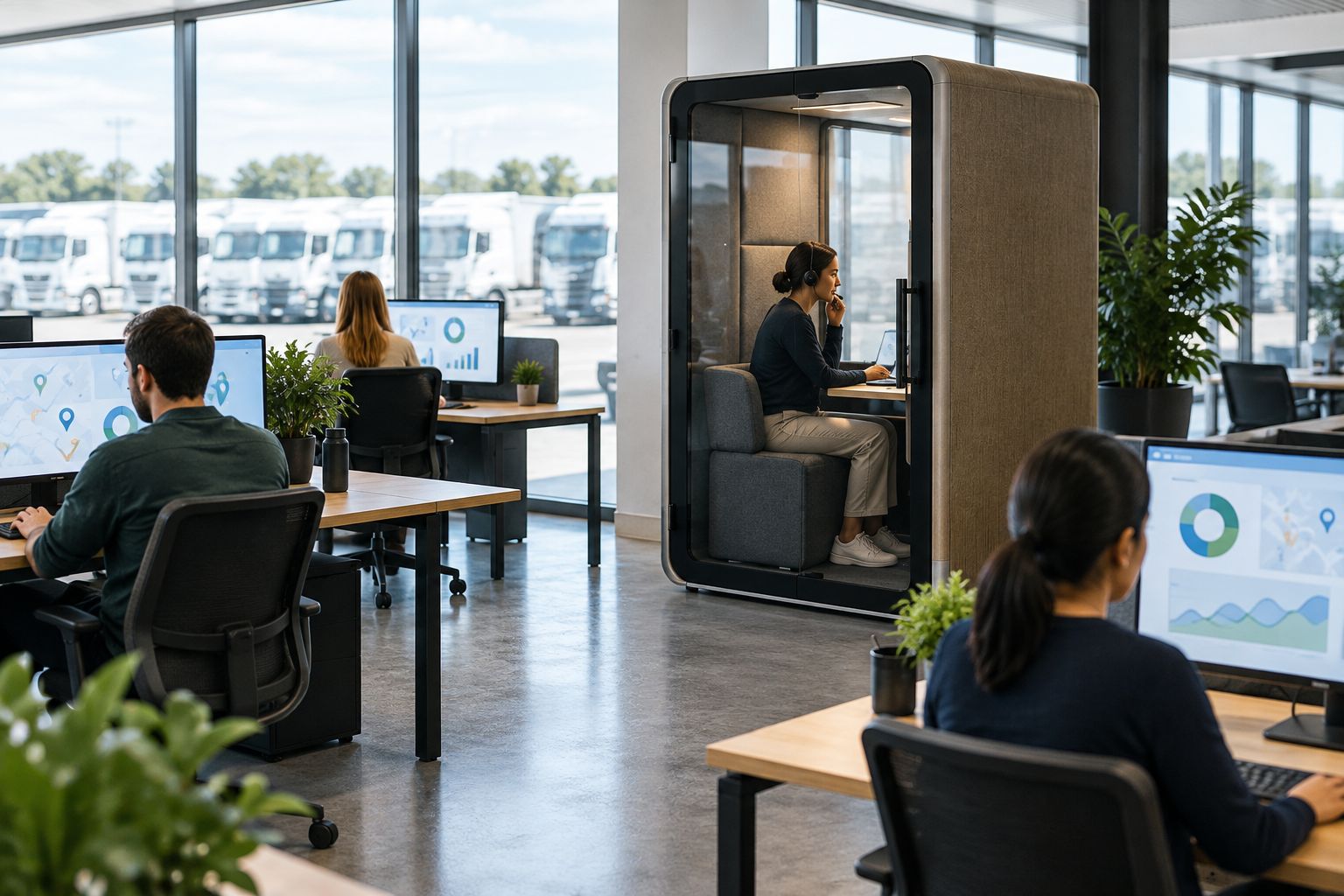
Set the right expectation for acoustic privacy
Soundbox Store describes its range as providing 30–35 dB noise reduction. Treat that range-level figure as context, not a rating assigned to every model or a promise that conversations become inaudible outside.
For fleet work, define the desired result in plain language: less competing speech during a callback, an enclosed setting for a driver discussion, or separation from nearby conversations during reporting. Confirm the selected model's acoustic information before choosing it.
An acoustic enclosure is not a substitute for information-handling rules. Keep sensitive records off unattended screens, use neutral booking titles and avoid speakerphone conversations outside the enclosure. Those working practices remain necessary regardless of which workspace you choose.
Common mistakes fleet management offices make
Moving live dispatch work into the pod
A dispatcher who needs constant colleague input has a different requirement from an administrator making a private callback. Keep shared coordination at the desk and use the enclosure for defined tasks. Moving someone behind a door without agreeing desk cover creates a workflow problem the pod cannot resolve.
Buying meeting capacity for individual call demand
A two-person meeting booth does not create two independent calling spaces. If your log shows overlapping solo calls, address simultaneous demand rather than buying a larger enclosure simply because it accommodates more attendees. Match quantity and meeting format separately.
Leaving spontaneous driver calls out of the booking plan
A schedule built entirely around planned meetings leaves no process for unscheduled conversations. Decide where those calls go before colleagues start using the space. Do not leave users to negotiate access at the moment they need to call someone back.
Treating range-level acoustics as a model-specific guarantee
A general noise-reduction figure does not establish identical performance for every configuration or every surrounding office. Ask for the chosen model's information and assess the intended conversation workflow. Do not describe the enclosure internally as guaranteeing complete confidentiality.
Measuring bookings instead of completed tasks
High occupancy can coexist with poor access for the work you intended to support. Review driver callbacks, manager discussions and reporting separately. If general administration dominates reservations, change access rules before concluding that more pods are necessary.
FAQ
What's the best office pod for a fleet dispatcher?
The best fit depends on whether the dispatcher needs an individual calling space or an in-person meeting enclosure. Keep work requiring immediate team coordination at shared desks, and choose the pod for the tasks that genuinely need separation.
Should a fleet office choose a solo pod or a two-person booth?
Choose a solo pod for individual calls and a two-person booth for discussions with two people attending in person. Remote participants do not increase the number of people physically using the enclosure.
Can an office pod replace our dispatch office?
An office pod should support selected tasks rather than replace the shared dispatch office. Define desk cover and colleague contact before moving calls or discussions into an enclosure.
Does an acoustic pod guarantee that a driver conversation cannot be heard?
No acoustic privacy guarantee is established by a general noise-reduction description alone. Confirm the selected model's acoustic information and retain appropriate working practices for sensitive conversations and records.
Which Soundbox Store products suit individual fleet calls?
The Office Phone Booth Folio and Quell Office Pod Solo are described for individual private calls. Compare their current configurations against the devices and applications your colleagues need, rather than assuming differences not stated in the product information.
How do we decide how many pods our fleet office needs?
Base the number on simultaneous demand for enclosed tasks, not total headcount. Record overlapping calls, meeting attendance and requests that cannot be accommodated, then distinguish booking problems from a genuine shortage of spaces.
One last thing
The busiest enclosure is not automatically the most useful one. A pod occupied throughout the day by routine reporting can still leave driver discussions without a suitable space. Before adding another enclosure, check whether the booking rules protect the tasks that justified the purchase.
Your next move is to agree the task list with dispatch, fleet administration and management. That brief makes the product shortlist narrower and the eventual decision easier to explain.


