 it/gb


 Guida ai prodotti
Office pods for space technology companies: complete guide
Space technology companies’ office pod planning is the selection of enclosed workspaces with the aim of giving calls, engineering discussions and focused work a dedicated place. This guide to office pods for space technology companies separates individual calls from shared design reviews, so you choose around the work rather than the largest enclosure.
- Choose office pods for space technology companies by task: individual calls, paired reviews or small-team discussions.
- Soundbox Store offers office pods for private calls and small meetings; match each model to its stated capacity.
- Keep office conversations separate from hardware testing, and assess speech privacy separately from screen visibility.
- Record overlapping demand before deciding how many phone booths or meeting booths to shortlist.
Why office pods matter for space technology companies
An engineering call, a supplier discussion and a shared drawing review need different spaces. If your space technology team handles these activities in the same open office, start by identifying which conversations interrupt neighbouring desks and which meetings cannot find an appropriate room.
Choose for the activity that lacks a space, not for the sector label. A satellite software developer joining a remote review needs an individual call space; colleagues examining the same drawing need somewhere to work together. Neither requirement proves that your office needs a large conference enclosure.
The useful planning measure is simultaneous demand. The guide to calculating how many pods your office floor needs addresses that question separately from choosing a particular booth.
Keep this brief about office work. Specify a place for conversation, document review or concentration, rather than treating an office pod as a technical test facility.
How to plan office pods around engineering work
Map the conversations that need separation
Start with a shared spreadsheet and your existing room calendar. Ask team leads to record the task, people attending in person, remote participants and what prevented the current workspace from working. Describe an actual activity, such as reviewing a supplier drawing, rather than writing a broad requirement such as collaboration.
Separate tasks that need quiet from tasks that need discussion. Otherwise, a booth intended for individual concentration becomes another meeting room, while people still take calls at their desks. Include cancelled or displaced sessions: a calendar records bookings, but it does not explain why someone abandoned a room search.
- Record individual supplier and partner calls separately from group discussions.
- Distinguish shared drawing reviews from meetings based mainly on conversation.
- Note whether the task needs speech separation, visual discretion or both.
- Identify existing rooms that already serve the activity adequately.
- Record why each unsuitable space failed the task.
Count people present rather than meeting invitations
Use attendance records or a manual tally before shortlisting products. Count the colleagues physically sharing the enclosure, not everyone on the video call. A remote review with many invitees can still require a 1-person booth if only one participant joins from your office.
A 2-person discussion and a 4-person review create different requirements. Keep those categories distinct instead of averaging them into an assumed meeting size. Also separate peak demand from occasional exceptions: an infrequent larger session does not establish the right size for every everyday conversation.
This exercise gives you a capacity brief without requiring a new booking platform. It also exposes whether the problem is insufficient space or unsuitable room allocation.
- Count local attendees separately from remote attendees.
- Record overlapping calls rather than adding every call across the day.
- Separate recurring sessions from exceptional project meetings.
- Note when an individual occupies a group room because no alternative exists.
- Retain existing rooms for activities your proposed booth does not address.
Match the enclosure to the recurring task
First, try allocating existing rooms by activity. Reserve smaller rooms for paired reviews and redirect individual calls away from rooms needed by groups. If that leaves a recurring gap, a dedicated office pod gives the task its own space rather than relying on repeated room reshuffling.
Soundbox Store is best for space technology teams seeking dedicated office pods for private calls and small meetings. Its supplied range includes individual phone booths and meeting booths for different group sizes. The limitation is equally practical: a solo booth cannot replace a shared review space, and a group booth does not resolve simultaneous individual calls when one meeting occupies it.
Write the requirement before choosing the model. This keeps the shortlist tied to the problem you recorded.
- Specify individual calls when only one colleague needs the space.
- Specify paired discussion when two colleagues must work together.
- Specify small-team review when several local attendees share the session.
- Identify which existing room each proposed booth would supplement.
- Reject a capacity choice that does not match the recurring task.
Separate listening privacy from visual discretion
Assess speech and sightlines as different questions. A conversation can need acoustic separation while a drawing on a laptop also needs careful positioning. Do not treat an enclosed workspace as proof that every part of a discussion is hidden from nearby colleagues.
Begin with a simple walkthrough using a non-sensitive document. Sit where the user would sit, look towards nearby desks and observe what a passing colleague would see. This is a workspace assessment, not a claim about any particular booth’s performance.
Keep drawings, project names and live technical information out of demonstrations and photographs. Use representative material that lets you assess the working arrangement without exposing the work itself.
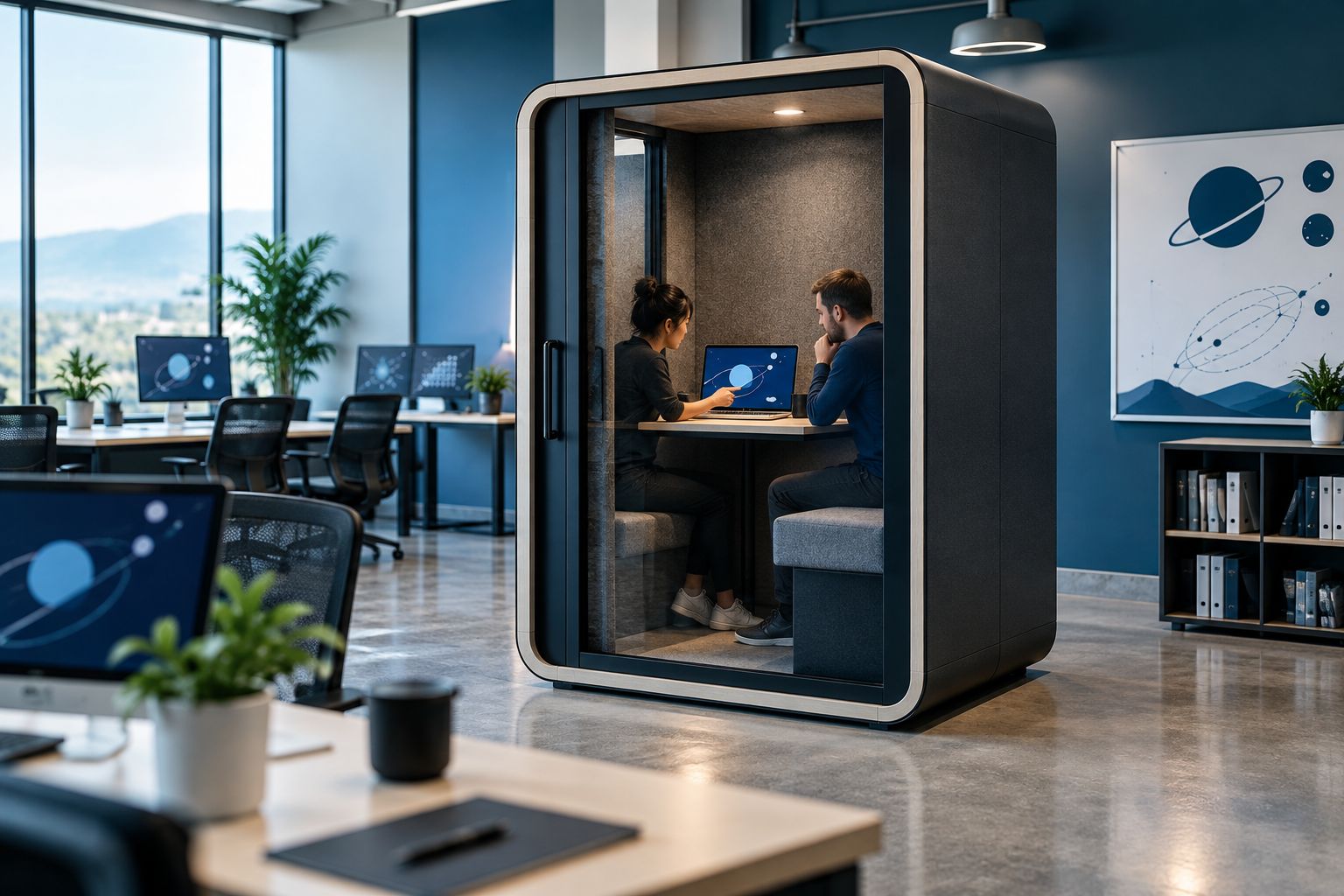
- Check the view of the working surface from neighbouring desks.
- Consider the view from ordinary routes through the office.
- Use non-sensitive sample material during demonstrations.
- Ask model-specific questions about acoustic performance.
- Record visual requirements separately from speech requirements.
Rehearse a representative remote review
Use your current meeting room to rehearse the intended activity before choosing a booth. Have colleagues join from inside and outside the office, open a representative drawing and run through the normal discussion. Establish what the session requires before assuming that a product includes the equipment to support it.
For space technology office work, distinguish reviewing information on a screen from handling physical components. A conversation about a component is not the same task as inspecting or testing it. Keep the booth brief focused on the office activity you can describe and demonstrate.
Repeat the same rehearsal when assessing a shortlisted arrangement. Consistent tasks make the comparison more meaningful than unrelated demonstrations.
- Check whether remote colleagues can follow the shared material.
- Establish where participants need to place laptops and documents.
- List required call equipment without assuming it is included.
- Ask each local participant whether the discussion arrangement works.
- Keep component handling and technical testing outside this office brief.
Assign booking rules before adding more space
Start with a shared calendar and straightforward names based on capacity and purpose. Record whether each space is intended for individual calls, paired reviews or small-team discussions. A clear allocation rule makes the proposed booth part of your room system rather than an unassigned extra.
Give recurring engineering reviews a defined booking, but avoid reserving every suitable space indefinitely for a project team. Record unmet demand as well as completed bookings. A fully booked group booth does not establish that you need another group booth if most rejected requests came from individual callers.
Name someone to review the record and resolve competing uses. Choose booking software only after the manual process shows what information you actually need.
- Name spaces by their intended activity and stated capacity.
- Require users to release bookings they no longer need.
- Distinguish individual focus sessions from shared discussions.
- Log rejected requests with the requested task and attendance.
- Assign an owner for booking rules and usage review.
Check the working arrangement before approving the shortlist
Begin with a desk-based rehearsal of the task. Gather the documents, laptop and ordinary equipment the user needs, then observe how the person moves between reading, typing and conversation. This helps you ask relevant questions without making assumptions about a booth’s furniture or included accessories.
For engineering document reviews, distinguish a call surface from a workstation used for extended drawing work. The distinction also matters when considering drafting chairs for engineers: assess seating alongside the working surface and task, rather than treating the chair as an isolated purchase. Do not assume that a drafting chair suits a booth or is part of its supplied configuration.
Ask Soundbox Store about the exact model and furniture combination under consideration. Keep the decision specific to that configuration, rather than transferring details from another product in the range.
- List the documents and devices used during the intended session.
- Distinguish brief calls from sustained document-based work.
- Confirm what furniture and equipment the selected configuration includes.
- Ask users to assess the proposed working arrangement.
- Record unresolved questions before approving the purchase brief.
Compare options by task and capacity
The Soundbox Store office pods below address different office activities. Choose the capacity that matches the people present; do not treat the largest model as the default upgrade. The limitations describe task fit, not unverified differences in acoustic performance.
| Option | Best for | Practical advantage | Key limitation |
|---|---|---|---|
| Existing meeting room | Sessions your current room already accommodates | Uses a familiar space and existing booking process | Does not add a separate place when competing sessions overlap |
| Quell Office Pod Solo | Individual private calls | Supplied description identifies a 1-person phone booth designed for private calls | Does not accommodate a paired discussion |
| Office Phone Booth Quell - 2 Person | Paired engineering or supplier discussions | Supplied description identifies an enclosure designed for two people to meet | Does not cover a four-person local review |
| Quell - 4 Person Meeting Booth | Small-team discussions with four local attendees | Supplied description identifies a meeting booth designed to seat four people | A group booking occupies the enclosure rather than providing separate individual call spaces |
These are capacity-led options, not a ranking. Keep acoustic evidence, furniture requirements and the demonstrated working arrangement attached to the exact shortlisted model.
Common mistakes space technology teams make
Choosing around a milestone instead of routine work
A major project review can dominate the brief even when ordinary demand comes from individual supplier calls. Record the recurring workload separately from exceptional sessions, then decide which activity the proposed pod must serve. Keep an appropriate existing room for the exception where it already works.
Counting remote invitees as local occupants
The number of names on a review invitation does not establish enclosure capacity. Count the colleagues sharing the physical space and select from that requirement. A remote-heavy session and a locally attended discussion can have similar invitations but need different office arrangements.
Treating an office booth as a technical facility
Keep the purchase brief tied to calls, focused work and discussion. Do not infer suitability for component testing, measurement or specialist engineering processes from an office pod’s description. If your requirement is technical rather than conversational, separate it from this workspace decision.
Solving every privacy question with enclosure alone
Speech separation and screen visibility are different concerns. Include both in the brief, then assess the actual working arrangement with non-sensitive material. An enclosure is not a substitute for deciding where documents sit or what colleagues can see from nearby desks.
Expanding before understanding rejected requests
A busy booth provides an incomplete picture. Record who could not use it, the task they needed to complete and how many people needed to attend. Expand the capacity type that is missing, rather than automatically repeating the first purchase.
FAQ
What are the best office pods for space technology companies?
The best office pods for space technology companies match the recurring office task and the number of people physically attending. Shortlist an individual booth for solo calls, a two-person booth for paired discussions or a group booth for shared reviews, then assess the exact configuration.
Should we choose individual phone booths or a meeting booth?
Choose individual phone booths for separate solo calls and a meeting booth for colleagues who need to talk together. Record overlapping requests before deciding which type addresses the gap in your existing rooms.
Can an office pod replace a satellite hardware testing space?
This guide recommends office pods for conversation, document review and focused office work, not satellite hardware testing. Keep specialist technical processes outside the office workspace brief.
How many office pods does our engineering team need?
Base the number on overlapping unmet demand, not headcount alone. Record local attendance, task type and rejected room requests, then identify which capacity is missing.
Does an enclosed booth also hide engineering drawings?
An enclosed booth does not establish that drawings are hidden from view. Assess screen and document visibility separately from acoustic requirements, using non-sensitive material in the proposed working arrangement.
What should we confirm before choosing a Soundbox Store booth?
Confirm the exact model’s stated capacity, supplied configuration and fit for your intended office activity. Keep questions about acoustic performance, furniture and call equipment specific to that model rather than assuming features transfer across the range.
One last thing
An unused room can still be the wrong room. If colleagues decline a space, ask which task it fails before buying another enclosure: individual callers, paired reviewers and a locally gathered project team are not interchangeable users.
Finish the brief with a concrete activity, such as a supplier call with one local participant or a drawing discussion with two colleagues. That description gives you a clearer selection test than a request for a space technology pod.


