 it/gb
it/gb



















 Guida ai prodotti
Office pods for trade and professional associations: complete guide
Trade association office pods are enclosed workspaces for member calls and small meetings, with the aim of separating conversations from shared-office activity. Choose around the work your secretariat handles, not the size of your largest committee.
- Office pods for trade associations should match member calls, adviser conversations and small meetings—not occasional full-board gatherings.
- Soundbox Store office pods suit associations separating individual calls from two-person meetings.
- Quell Office Pod Solo serves individual callers; Office Phone Booth Quell - 2 Person accommodates face-to-face conversations.
- Use existing rooms and a shared calendar first; add a pod where those arrangements leave a recurring gap.
Why office pods matter for trade associations
An association office needs to distinguish individual member support from group discussion. Plan separate spaces for separate tasks. A member call, an adviser meeting and a committee gathering are different requirements; treating them as interchangeable produces a poor brief.
How to plan office pods for your association
1. Identify the work that needs separation
Start with your existing diary and a simple spreadsheet. Record the activity, who attends and whether it needs a conversation space or a place for individual work. Keep member details out of this planning record.
- Separate telephone calls from face-to-face appointments.
- Distinguish individual work from committee discussion.
- Record simultaneous requests, not just total bookings.
2. Match each activity to the right capacity
For individual calls, the Quell Office Pod Solo is a 1-person booth designed for private calls. Shortlist it for the member-services colleague who needs a separate place to speak, rather than for a meeting with a visiting member.
Your manual starting point is to assign existing rooms according to attendance. Reserve the smaller room for adviser conversations and the larger room for group sessions. A pod adds another setting when that arrangement leaves individual callers or pairs competing for the same room.
Count people physically present. A staff member speaking to a remote committee does not need seats for everyone on the screen; a staff member meeting a visitor does need a space intended for both people.
Write the recurring activity beside each capacity in your brief. This gives purchasing and facilities colleagues a reason for the selection beyond appearance.
- Assign individual member calls to a solo-space brief.
- Assign staff-and-member appointments to a two-person brief.
- Separate remote attendees from people attending in person.
- Keep larger committee gatherings in a separate room brief.
- Check the exact model description before choosing a configuration.
3. Shortlist products by the job they perform
Make a shortlist from the work categories you have already identified. Do not start with every pod in the catalogue and ask staff to choose a favourite. That reverses the decision: the product begins to define the task rather than serving it.
Soundbox Store is best for associations seeking office pods for member calls and two-person meetings. The relevant choice is between individual-call booths and a booth designed for a pair, not an assumption that every association needs the same model.
The Office Phone Booth Folio is a 1-person option described for private calls, Zoom meetings and focus work. The Office Phone Booth Quell - 2 Person is described as an acoustic enclosure for two people holding private meetings. Those descriptions support different uses; they do not establish that every feature or acoustic figure is identical.
Keep your existing room in the shortlist. A product earns its place by addressing a recurring gap, not simply by being another enclosed space.
- Write a best-for statement beside each shortlisted option.
- Retain an existing-room option as your baseline.
- Separate stated product facts from your intended use.
- Reject configurations that do not match physical attendance.
- Limit the shortlist to options serving a defined activity.
4. Evaluate conversation privacy in the actual setting
Start by reviewing where staff currently take member calls. Note whether the problem is nearby conversation, visible screens, interruptions or a lack of somewhere to meet. These are separate issues, and an acoustic enclosure is not a substitute for managing all of them.
Soundbox Store describes the shortlisted booths as spaces for private calls or meetings. Treat that as a use case, not a guarantee that every conversation becomes inaudible or unseen. Assess the exact product information alongside the setting in which your association intends to use it.
If you arrange a demonstration, use ordinary conversation and fictitious member information. Assess the experience from inside and outside the booth without creating a confidentiality problem during the assessment. Record observations rather than assigning an unsupported performance score.
For visible information, consider the direction of the camera and screen. A quieter conversation does not automatically make an open document less visible.
- Identify whether the issue is sound, visibility or interruptions.
- Review acoustic information for the exact shortlisted model.
- Use fictitious information during demonstrations.
- Check the camera view with your usual meeting software.
- Keep sensitive documents out of shared booking descriptions.
5. Rehearse the member-service workflow
Use an existing room to rehearse a typical appointment before specifying equipment for a pod. Have a colleague act as the member, open a sample document and join a remote call. This exposes practical requirements without assuming that a particular booth includes the equipment you need.
For a member-support call, check how the staff member refers to notes while speaking. For an adviser appointment, check how both participants view the same document. For a remote professional-development session, check what the presenter needs to see and operate.
The purpose is to define the workflow, not to make installation decisions. Keep equipment requirements separate from claims about what comes with a product; verify included items against the exact product description.
A generic enclosed booth illustrates the distinction between a separate conversation space and the shared desks around it. It does not establish the dimensions or features of a shortlisted model.
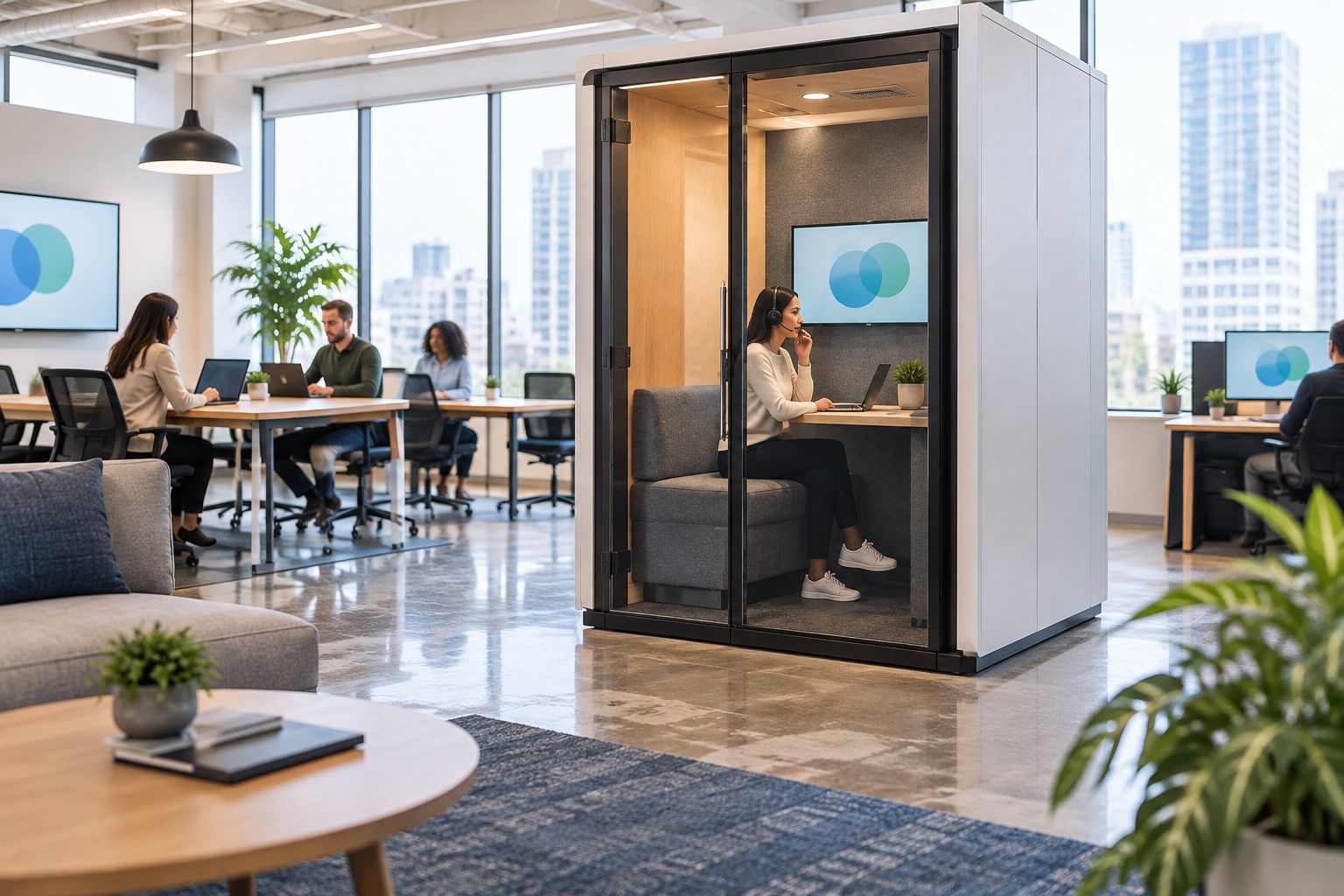
Rehearse the complete appointment, including the handover between users. A space that suits the conversation still needs a clear routine for staff and visitors.
- Run a sample member-support call with fictitious notes.
- Rehearse a staff-and-member document discussion.
- Test your usual headset and camera workflow.
- List required equipment separately from included equipment.
- Define who prepares the space before a visitor appointment.
6. Create booking rules around member access
Begin with a shared calendar. Give each space a descriptive resource name and assign a colleague to manage booking conflicts. You do not need to assume a booth has calendar integration to organise its use.
Define whether booked member appointments take priority over individual focus work. Also decide how staff request an unplanned call space. Without those rules, a booth intended for member support can become a personal workspace while scheduled appointments have nowhere to go.
Keep calendar entries neutral. A booking title should identify the type of activity without displaying a member's concern, application details or discussion topic to everyone who can see the calendar.
Include visitor handover in the process: who meets the member, who confirms the space is ready and who releases the booking afterwards. These are operating decisions for the association, not product features.
- Use neutral labels such as member appointment or staff call.
- Set priorities between booked appointments and focus work.
- Assign responsibility for conflicts and cancellations.
- Define how staff request an unplanned conversation space.
- Remove recurring reservations that no longer serve a task.
7. Measure the gap before expanding the provision
Use the same diary categories before and after introducing a pod. Record completed bookings, requests that could not be accommodated and cases where the wrong type of space was used. A basic spreadsheet is enough to identify whether the original problem remains.
Measure each activity separately. Individual calls and adviser meetings need different provision, so combining their bookings into a single occupancy figure obscures the next decision. Also distinguish a fully booked calendar from actual use by recording cancellations and missed reservations.
Present the findings as an operational decision. If individual callers still compete for space, investigate individual-call provision; if adviser appointments remain the bottleneck, revisit the two-person requirement. Do not turn booking counts into a financial return without evidence connecting them to a financial outcome.
Your review should retain a no-expansion option. Better booking rules or a clearer division between rooms can address a scheduling problem without another purchase.
- Compare the same activity categories before and after introduction.
- Record completed use separately from reserved time.
- Track unmet requests by activity and attendance.
- Note bookings that occupied the wrong type of space.
- Revisit scheduling before adding another enclosure.
Compare options for association work
Choose the smallest suitable setting for the recurring task—not the smallest product regardless of use. The table separates intended uses and their limits. It is not a ranking of acoustic performance.
| Option | Best for | Main advantage | Key limitation |
|---|---|---|---|
| Existing enclosed meeting room | Committee gatherings and appointments your current rooms already accommodate | Uses a space your association already manages | Competes with other activities booked into that room |
| Quell Office Pod Solo | Individual member-support calls | Stated 1-person private-call purpose matches individual callers | Does not meet a two-person, face-to-face meeting brief |
| Office Phone Booth Folio | Individual calls, Zoom meetings and focus work | Its description explicitly covers those individual activities | Its one-person purpose does not address staff-and-member appointments |
| Office Phone Booth Quell - 2 Person | A staff member meeting a member or colleague | Stated two-person meeting purpose matches a pair | Does not meet a larger committee-room brief |
The two solo options overlap in intended use. The supplied descriptions do not establish a decisive performance difference between them, so do not invent one. Compare the current information for each exact model against your individual-call brief.
The two-person booth serves a different requirement. Shortlist it when both participants need to be physically present, while keeping larger gatherings outside that brief. A larger meeting requirement should not be compressed into a product selected for a pair.
Soundbox Store offers these individual-call and two-person options. Select the models relevant to your diary rather than treating the following products as a package your association must purchase together.


Common mistakes trade associations make
Designing around the largest committee
A committee gathering and an individual member call are different briefs. Buying around the largest occasional gathering does not establish what daily member-service work needs. Separate routine demand from exceptional events, then retain an appropriate setting for each rather than asking one enclosure to serve every purpose.
Counting remote participants as physical attendees
A remote meeting's total attendance is not the booth's physical attendance. Write down who will actually be inside the space, then assess the calling workflow. Conversely, do not treat a visitor appointment as an individual call just because only one staff member is involved; the member also needs to be accommodated.
Treating an acoustic booth as a complete confidentiality solution
A separate conversation space does not manage screen visibility, calendar titles or documents left behind. Assess each issue directly. Keep member information out of shared booking labels and use normal information-handling procedures inside the booth rather than assuming the enclosure replaces them.
Giving a department permanent ownership
A pod selected for member appointments needs a booking policy that protects that purpose. If one team reserves it continuously for general work, the association has changed its function without changing the brief. Review recurring reservations and make priorities explicit before departments develop conflicting expectations.
Equating a busy calendar with a successful purchase
Reserved time alone does not show that a pod addressed the original gap. Compare completed use and unmet requests for member calls, adviser appointments and other activities separately. If the calendar is full but the target activity still lacks space, examine allocation before recommending more products.
FAQ
What's the best office pod for a trade association's member calls?
A one-person booth is the appropriate category for an individual staff member taking member calls. Quell Office Pod Solo and Office Phone Booth Folio both have supplied descriptions covering private individual calls; compare the exact models against your workflow.
Should we choose a solo pod or a two-person meeting booth?
Choose a solo pod for one person working or calling, and a two-person booth when two people need to meet physically. Count people inside the space, not the total attendance of a remote meeting.
Can a meeting booth replace our association's boardroom?
A two-person meeting booth does not meet a larger boardroom brief. Keep committee and board gatherings separate from individual calls and staff-and-member appointments when planning your spaces.
Does an office pod guarantee confidential member conversations?
An office pod does not provide a complete confidentiality guarantee. Assess the exact model's acoustic information alongside screen visibility, document handling and the surrounding workplace.
Do we need special software to manage pod bookings?
A shared calendar is enough to begin managing pod bookings. Set appointment priorities, use neutral booking titles and assign responsibility for conflicts without assuming the product includes a software integration.
How do we know whether our association needs another pod?
Track unmet requests by activity and physical attendance before deciding to add another pod. Compare completed use with reserved time, and review booking allocation before expanding provision.
One last thing
An empty booth and a waiting member can coexist when the booking rules are wrong. Before approving another enclosure, check cancellations, recurring reservations and the handover between visitors. Those records distinguish a shortage of space from a shortage of usable booking slots.
Write the intended activity into the purchase brief and the calendar policy using the same words. If the brief says member appointments but the calendar allows unrestricted focus bookings, resolve that mismatch first. The product decision and the operating decision need to serve the same task.


