 da/dk


 Produktguide
Office pods for executive protection firms: complete guide
Executive protection firms’ office pods are enclosed acoustic workspaces for private calls and small meetings, with the aim of separating client conversations from shared-office activity. Choose office pods for executive protection firms around the people present and the work being done, not around an assumption that an acoustic enclosure guarantees confidentiality.
- Choose office pods for executive protection firms by call type, meeting size and overlapping demand.
- Soundbox Store offers solo phone booths and meeting booths for different group sizes.
- Use acoustic office pods for workplace privacy, not as proof that conversations cannot be overheard.
- Separate individual client calls from small-team meetings before choosing your pod mix.
Why office pods matter for executive protection firms
A client account call, a staff conversation and a small administrative meeting require different spaces. For your executive protection office, start by separating those activities rather than treating every private conversation as a boardroom booking.
The distinction is practical. A single caller does not need the same enclosure as several colleagues reviewing a document together, while a solo booth cannot serve as a group meeting space. The guide to calculating how many pods your office floor needs addresses the separate question of quantity.
Soundbox Store office pods are best for executive protection firms matching private calls and small meetings to purpose-sized acoustic spaces. Keep that recommendation within its scope: acoustic workspace selection, not a claim about security performance.
Your purchasing brief should distinguish speech privacy, visual privacy and ordinary meeting practicality. Treat these as separate questions throughout the selection process; a satisfactory answer to one does not settle the others.
How to choose pods for your executive protection office
1. List the conversations that need a separate space
Start with your existing rooms and calendar. Record which conversations leave the shared office, who joins them and whether participants need to speak, read or work on a screen. A simple spreadsheet is enough; you do not need a booking platform to define the requirement.
Use neutral activity labels such as client call, account review or staff meeting. The purpose of this exercise is to understand room demand, not to reproduce the contents of conversations in another record.
Separate recurring needs from occasional ones. If your existing meeting room already serves larger discussions, your next purchase should address the unmet activity rather than duplicate that room’s function.
- List individual telephone and video calls separately from in-person meetings.
- Record the number of people physically present.
- Note whether participants need shared documents or separate laptops.
- Identify activities your current rooms already accommodate.
- Describe the unmet need in a sentence before reviewing products.
2. Measure overlapping demand, not just total usage
Review calendar entries and ask staff when they cannot find an appropriate room. Total meeting time does not tell you whether several people need separate spaces simultaneously. Concurrency is the purchasing question.
Keep individual calls distinct from group bookings. A larger booth provides more places within the same meeting, but those places are not separate private call spaces. If independent calls overlap, increasing meeting capacity does not resolve the conflict.
Use the same observation method across the activities you are comparing. Avoid collecting detailed notes for client calls while relying on memory for staff meetings, because the resulting purchasing brief will compare unlike records.
- Mark overlapping requests on your existing calendar.
- Separate unavailable rooms from rooms of the wrong size.
- Record abandoned bookings as well as completed meetings.
- Ask whether staff need immediate access or scheduled sessions.
- Identify the activity responsible for the clearest recurring conflict.
3. Match the pod format to the people present
Use your activity record to shortlist formats manually. Start with occupancy, then check whether each format supports the task. Choose a solo booth for an individual caller only when the booking genuinely involves an individual working alone.
For a product-level starting point, Soundbox Store lists the Quell Office Pod Solo as a 1-person phone booth designed for private calls. Best for: individual client account calls. Its clear limitation is the same as its purpose: it is not a meeting booth for colleagues sitting together.
For shared discussions, compare meeting booths against the actual group size. Count people inside the booth, not remote attendees on the call. A video meeting with several remote participants still needs only the physical capacity required by the people in your office.
- Match solo calls to single-person formats.
- Count every participant who will be physically inside.
- Separate paired discussions from small-team meetings.
- Check the exact product description rather than the collection image.
- Keep an existing larger room in the plan when it already serves occasional groups.
4. Check speech and visual privacy separately
Begin with a demonstration using an ordinary conversation and non-sensitive sample material. Listen from relevant positions outside the enclosure and look at screen visibility from normal office viewpoints. This is a practical evaluation of the experience, not proof of confidentiality.
Describe what you need to assess before the demonstration. Hearing a voice and understanding its words are different observations; record them separately rather than collapsing both into a pass-or-fail label.
Do the same for visual privacy. Enclosure does not answer every question about sightlines, screen direction or what appears behind a caller on video. Use blank documents or fictional content throughout the review.
- Use non-sensitive sample speech and documents.
- Check voice audibility and word intelligibility separately.
- Review sightlines from desks and visitor seating.
- Inspect the video-call background from the caller’s position.
- Record the limits of the demonstration alongside the observations.
5. Rehearse the actual meeting workflow
Use your current meeting room to rehearse the task before reviewing booth layouts. Ask participants to bring the items they ordinarily use, then note which activities require a shared surface or face-to-face discussion. This creates a functional brief without assuming anything about a product’s furniture.
During a product demonstration, repeat that workflow. Check your own devices and preferred call arrangements rather than assuming that a meeting booth includes a particular screen, connection or accessory.
The Soundbox Store catalogue includes both phone booths and meeting booths. Choose between those formats by the work you have rehearsed, then confirm the contents of the exact configuration under consideration.
- Rehearse a client account call with your usual device.
- Practise a paired review using a sample document.
- Check whether everyone needs an individual working surface.
- Confirm furniture and accessories for the selected configuration.
- Check your intended call setup during the demonstration.
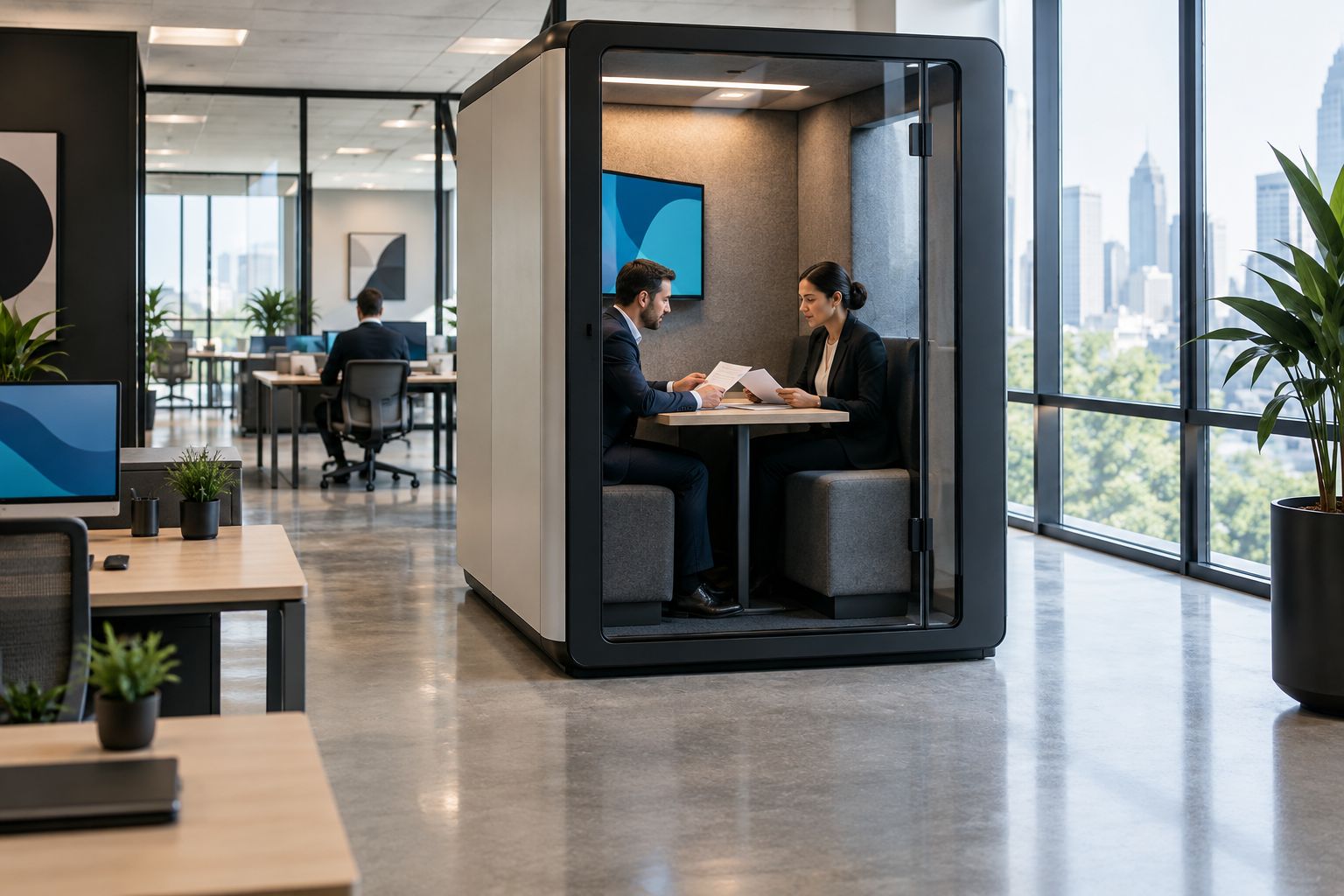
6. Set booking rules before adding more capacity
Start with your existing shared calendar and a short written usage policy. Define which activities belong in the booth, how staff book it and what happens when a booking is no longer needed. Keep the rules easy to follow.
For an executive protection firm, neutral booking titles are a useful administrative choice. A room calendar needs to show occupancy; it does not need to display a client’s name or the substance of a discussion.
Review the first period of use against the original problem. If callers still cannot find a space, establish whether demand overlaps, bookings remain unused or the selected format serves the wrong activity before considering another purchase.
- Use neutral booking titles such as private call or team meeting.
- Give each booth a clear purpose in the calendar description.
- Ask staff to release unused bookings.
- Keep meeting notes out of shared booking titles.
- Compare actual usage with the unmet need in your purchasing brief.
Compare pod options by meeting size
The following Soundbox Store options address different physical group sizes. Choose the format that fits the recurring activity, not the largest meeting you can imagine. The limitations below describe occupancy and task fit, not comparative acoustic performance.
| Option | Best for | Main advantage | Key limitation |
|---|---|---|---|
| Quell Office Pod Solo | Individual client account calls | A 1-person format designed for private calls | Does not accommodate an in-person meeting with a colleague |
| Office Phone Booth Quell - 2 Person | Paired administrative discussions | Designed for private meetings between 2 people | Does not serve a 4-person team meeting |
| Quell - 4 Person Meeting Booth | Small-team account reviews | Designed to seat 4 people for meetings | Does not provide separate spaces for simultaneous individual calls |
| Meeting Booth Quell - 6 Person | Group administrative meetings | A 6-person meeting format | More meeting places do not resolve demand for independent call spaces |
A mixed requirement deserves a mixed brief. If individual calls and group meetings overlap, assess them as separate demands rather than expecting a single shared enclosure to satisfy both at once.
Do not read the table as an acoustic ranking. Occupancy is supplied for these formats, but the table does not establish which model gives better speech privacy in your office. Keep that assessment tied to the exact model and your intended use.
Common mistakes executive protection firms make
Treating an acoustic booth as a confidentiality guarantee
A private workspace is not proof that speech is unintelligible outside it. Do not move a conversation into a booth solely because its product name includes soundproof; assess the exact space and retain your organisation’s existing information-handling rules.
Better decision: define the workplace task the booth will serve and evaluate speech privacy separately from the purchasing label.
Buying for a rare full-team meeting
An occasional group session should not automatically determine the next pod purchase. If your recurring difficulty is finding somewhere for individual calls, more seats inside a shared meeting booth address a different problem.
Better decision: use the demand record to identify the unresolved activity, while retaining existing rooms for tasks they already accommodate.
Putting detailed client information in booking titles
A carefully chosen enclosure does not change what colleagues can read in a shared calendar. Keep the booking record focused on space allocation rather than the contents of the meeting.
Better decision: use neutral activity labels and keep discussion material in the systems your firm already uses for that purpose.
Assuming the enclosure includes the whole meeting setup
A booth description does not establish that every furniture item, screen or accessory shown elsewhere is included. A suitable occupancy figure also does not tell you whether your preferred document-review workflow fits the selected configuration.
Better decision: confirm the exact configuration and rehearse the task before committing to that format.
FAQ
What are office pods for executive protection firms used for?
Office pods provide enclosed acoustic spaces for individual calls, paired discussions and small-team office meetings. Choose the format around the people physically present and the task, without treating the enclosure as a confidentiality guarantee.
Is a solo phone booth or a meeting booth better for client calls?
A solo phone booth fits an individual caller, while a meeting booth fits colleagues participating together in person. Count the people inside the enclosure rather than remote attendees.
Does a soundproof office pod guarantee that nobody can overhear a conversation?
No: do not treat the word soundproof as a guarantee that nobody can overhear a conversation. Review the exact model’s acoustic information and assess speech privacy using non-sensitive sample material.
How many office pods should an executive protection firm choose?
Base the quantity on overlapping unmet demand for appropriate spaces. Record individual calls separately from group meetings, because spare places in a shared meeting booth are not independent call spaces.
What should an executive protection firm check during a pod demonstration?
Check the intended call or meeting workflow, speech audibility outside the booth and visibility of screens or documents. Use fictional content and confirm the furniture and accessories in the exact configuration under consideration.
Can a meeting booth replace an existing meeting room?
A meeting booth is a replacement only for the activities and group sizes it accommodates. Retain the existing room when it serves larger discussions or workflows that the selected booth does not address.
One last thing
An unused seat is not an available private workspace. A meeting booth occupied by a group cannot also serve an unrelated caller, even when the group has not filled every place.
Write your final purchasing brief around separate conversations happening at the same time. That distinction is more useful than adding up seats across the office, and it keeps the decision focused on the problem you need to solve.


